
Teleprompter software for broadcast
Write the script, show it on the studio monitor, a tablet or a phone — and run it from the same panels, Stream Deck keys and dials that run the rest of the show.
The prompter stops being an island
A teleprompter is usually a world of its own: its own laptop, its own operator, its own little remote. It works — until the moment it matters. The guest answers in half the words, the item is dropped, the presenter is reading ahead of the pictures, and the one person who can fix it is the one person not watching the gallery.
Fantago includes a prompter, and it is part of the system that already runs the studio. The script is written in Fantago, shown full screen on the prompter monitor, and driven from wherever Fantago reaches: a button on a tablet panel, a key on a Stream Deck, a dial on a Stream Deck +, a logic flow, another system over the REST API. The director jumps to the closing marker from the same surface that cuts the cameras.
It is included in Fantago at no extra cost, it runs on your own network with no cloud service in the middle, and it needs no hardware beyond a screen.
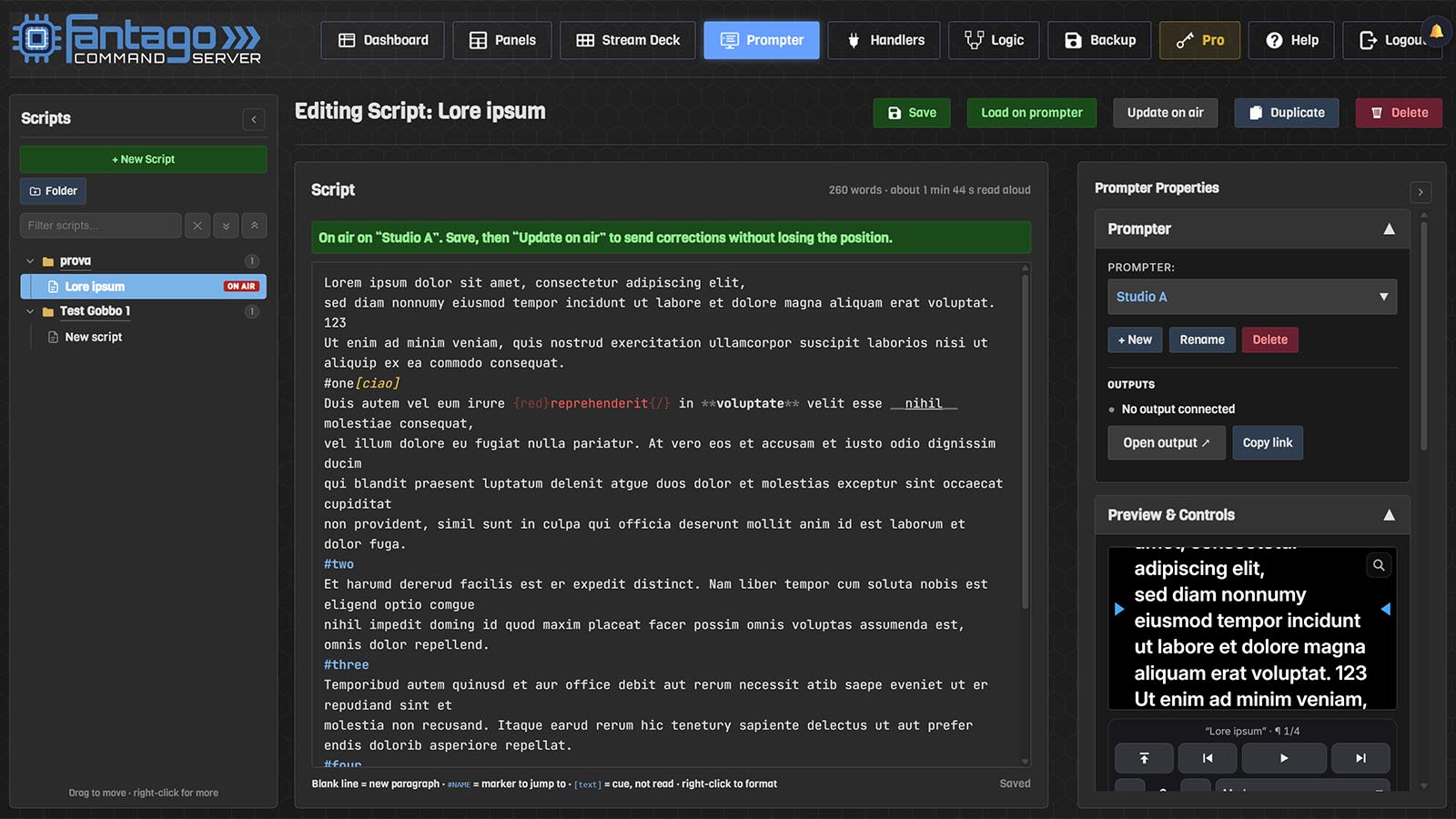
Write it in Fantago
A script library in folders, an editor with bold, italics and colours, #MARKERS to jump to, and [cues] shown in their own colour and never read aloud. Corrections reach the talent mid-read, at the words they are reading.
Show it anywhere
A browser full screen on the prompter computer, a tablet on the desk, a phone in the hand, or Fantago Display — a free viewer with no browser around it. Several screens at once, all kept on the same words.
Drive it from the gallery
Play, pause, speed, next paragraph, go to marker, text size, mirror and blank, on panel buttons, Stream Deck keys, Stream Deck + dials and logic flows — with the keys lit by the prompter's real state.
Fit it to the rig
Mirrored horizontally for a beam-splitter hood, flipped vertically for an upside-down monitor. Text size and margins are shares of the screen, so one setting suits a 15-inch monitor and a 55-inch one alike.
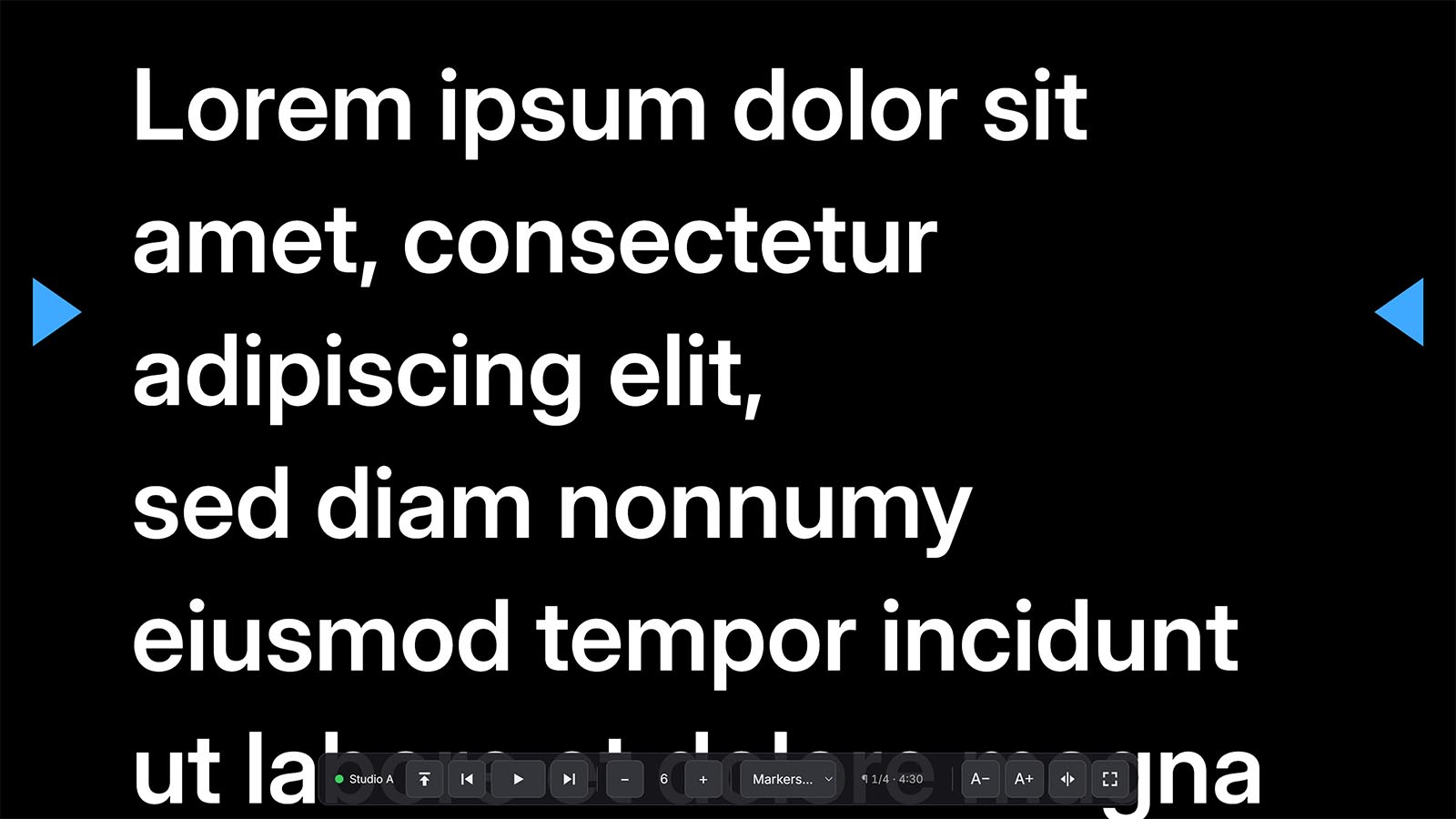
Every way to run it
A prompter is a device in Fantago, so it is built into panels and Stream Deck profiles exactly like a camera or a mixer — and it publishes its state as variables any label or logic flow can read.
| From | What it does |
|---|---|
| A panel button | Play / pause, stop, next or previous paragraph, go to a marker, load a script, mirror, blank — on a tablet, a phone or a control room PC, with the button lit while the text is moving. |
| A Stream Deck key | The same on hardware, with feedback: the play key green while it runs, the marker key lit while that marker is the one on air. |
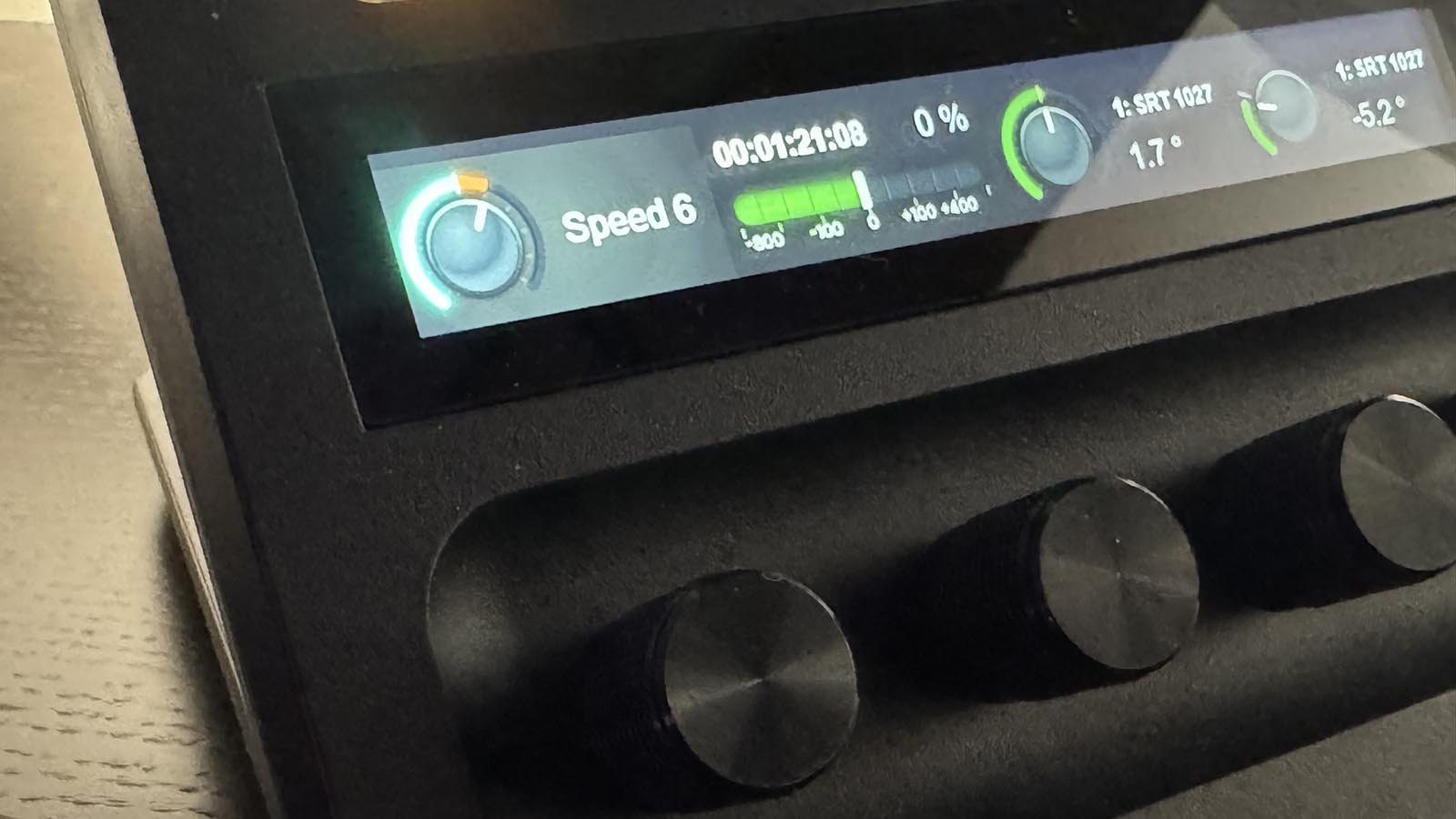
| A Stream Deck + dial | Turn it and the reading speed follows the hand; push it to play or pause; the strip above shows the speed, the paragraph or the time left to read. |
| A fader or rotary | Speed as a position: the middle of the travel is stopped, above it reads forward, below it scrolls back. |
| A logic flow | Stop the prompter when the mixer cuts to the VT, load tomorrow's script at six in the morning, blank the screen when a camera goes to air. |
| The screen itself | A bar that appears on mouse movement, the keyboard, the wheel, and on a touch screen the text itself — all of it still working while Fantago is unreachable. |
The presenter's own screen
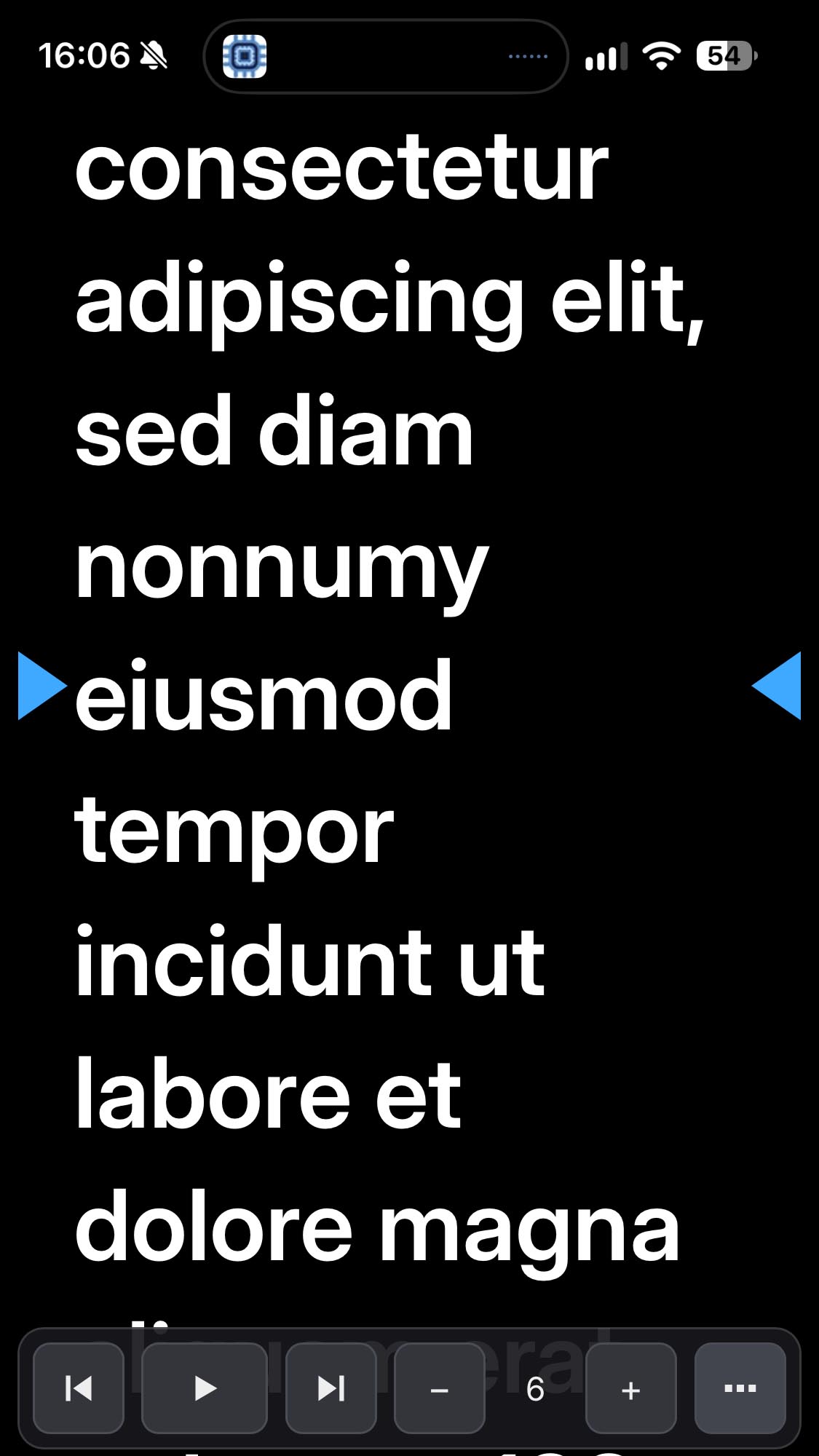
A phone or a tablet is a prompter in its own right. One address — /prompters — added to the Home Screen opens full screen, with a tile for each prompter showing its script and whether it is scrolling. On the text, a tap starts and stops, a double tap goes back to the start of the paragraph, dragging up and down moves the text with the finger and dragging sideways sets the speed. A screen held upright sizes the text so a line still holds several words.
It is the cheapest prompter in the building, and it is the same prompter the gallery is driving.
Fantago Display — the viewer for the prompter computer
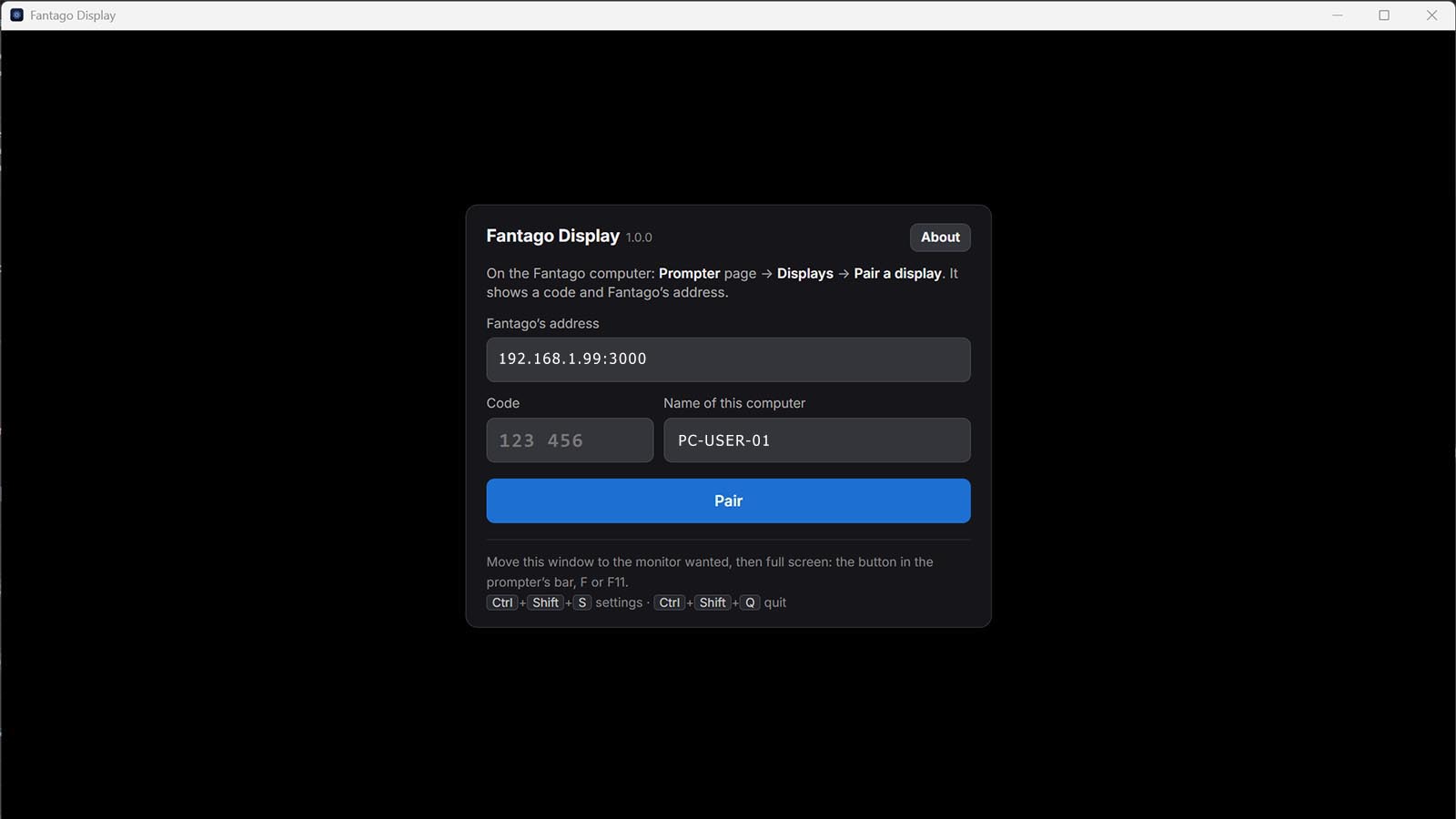
For a machine whose only job is the prompter monitor, Fantago Display is a small free application for Windows 10/11 and macOS 13 or later: it pairs with a code, shows the prompter in one ordinary window with no browser around it, moves to the monitor you choose, goes full screen, keeps the screen awake, and reopens exactly where it was. If Fantago is not reachable it waits and comes up by itself when it is.
Only the screens you allow
What is about to be said on air is not for everybody on the network. A prompter is shown only to a browser logged in to Fantago, or to a computer paired with a six-digit code issued on the Prompter page. The Displays list shows each paired screen, what it is showing and when it was last seen — and removing one stops its prompter at once.
Frequently asked questions
Do I need special hardware?
No. Any screen will do: the studio prompter monitor, a spare display, a tablet or a phone. For a beam-splitter hood, horizontal mirroring is a setting. For a dedicated prompter computer there is the free Fantago Display viewer for Windows and macOS.
Can it be controlled from a Stream Deck?
Yes — play, pause, stop, paragraphs, markers, text size, mirror and blank are actions on keys, with the key lit by the prompter's real state. On a Stream Deck + a dial sets the reading speed while the talent reads, and the touch strip shows the live value.
What happens if the network drops during a read?
The page goes on scrolling by itself, and its own bar, keyboard and gestures keep working. When the connection comes back, the page's state wins — somebody may have used it meanwhile.
Can several screens show the same script?
Yes, as many as you like. The first visible one leads and the others are kept on its words, so everyone reads the same line.
Does it work on an iPad or an iPhone?
Yes. Open /prompters, add it to the Home Screen and it opens full screen; the text itself is the control.
Is the prompter a separate product?
No. It is part of Fantago, at no extra cost, driven by the same panels, Stream Decks, schedules and logic flows as everything else. Fantago Display is a free download.
More detail: the Prompter guide, the Stream Deck + dials guide, and the rest of the Fantago features.