Download Fantago for Windows, macOS, Linux and Raspberry Pi
Download Fantago broadcast control software for Windows, macOS, Linux and Raspberry Pi. 60-day free trial — no credit card required.
Choose your platform
Download the — release
Windows
- Windows 10 / 11 (64-bit)
- CPU: Intel Core i3 or better
- RAM: 8 GB minimum
macOS — Apple Silicon
- macOS 11.0 Big Sur or later
- CPU: M1 / M2 / M3 / M4
- RAM: 8 GB minimum
macOS — Intel
- macOS 11.0 Big Sur or later
- CPU: Intel Core i5 or better
- RAM: 8 GB minimum
Linux (x86-64)
- Ubuntu 20.04+ / Debian 11+
- CPU: Intel / AMD x86-64
- RAM: 4 GB minimum
Raspberry Pi
- Raspberry Pi OS 64-bit
- Pi 4 / Pi 5 recommended
- RAM: 4 GB minimum
What's New — v—
- Loading…
Evaluation Version Limits
- Max Devices: Up to 3 connected devices.
- Max Panels: 2 custom panels, max 8 buttons each.
- Max Sequences: 5.
- Max Schedules: 3.
- Max Logic Flows: 2.
- Max Stream Deck: 1 active profile, max 8 keys and 2 dials (Stream Deck +).
Elgato Stream Deck Plugin
For a seamless experience with Elgato Stream Deck, ensure you have installed the Stream Deck Software (v.7.0 or later) for Windows or Mac and the latest Stream Deck Fantago Plugin.
If you are using the Stream Deck Studio model via IP connection, you do not need to install the Stream Deck app, as Fantago connects directly to the device.
Download Stream Deck plugin for Windows or Mac
Download freeInstallation is automatic — no manual file copying required. Just follow these steps:
- Make sure the Stream Deck software (v7.0 or later) is installed and running on your computer.
- Download the Fantago plugin using the button above.
- Double-click the downloaded file — the Stream Deck app will detect it and install the plugin automatically.
- No Internet access on the Fantago computer? The same plugin is inside Fantago: Stream Deck Builder → Connected Devices → Download Stream Deck plugin.
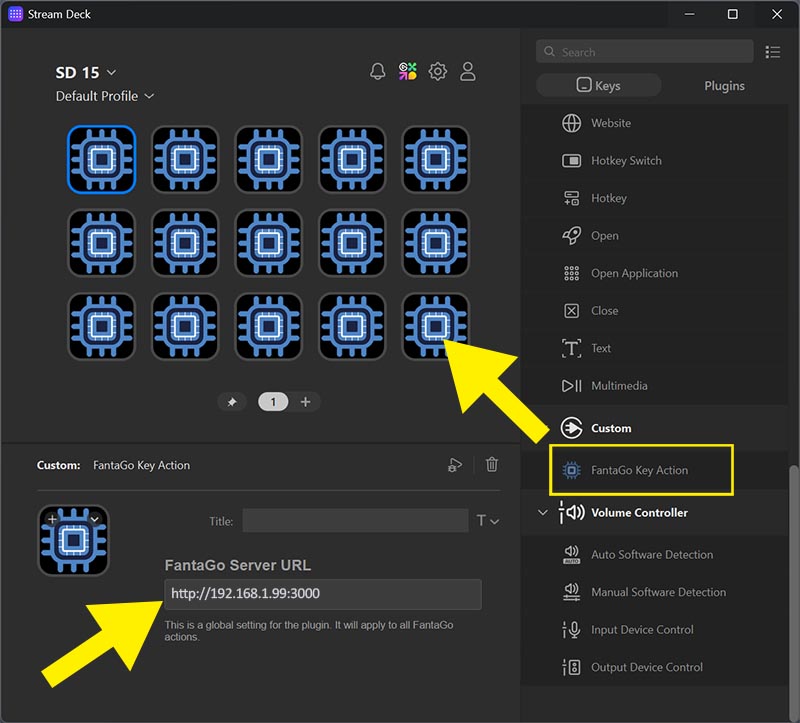
Once installed, open the Stream Deck app, drag and drop the Fantago Key Action plugin — found in the list on the right — onto the keys you want to assign to Fantago in the layout on the left.
After dragging the plugin onto the key, complete the configuration by entering the Fantago server address and the port being used:http://192.168.1.99:3000
Below is the list of devices currently supported by Fantago.
- Stream Deck Mini
- Stream Deck Classic
- Stream Deck XL
- Stream Deck Module
- Stream Deck Studio
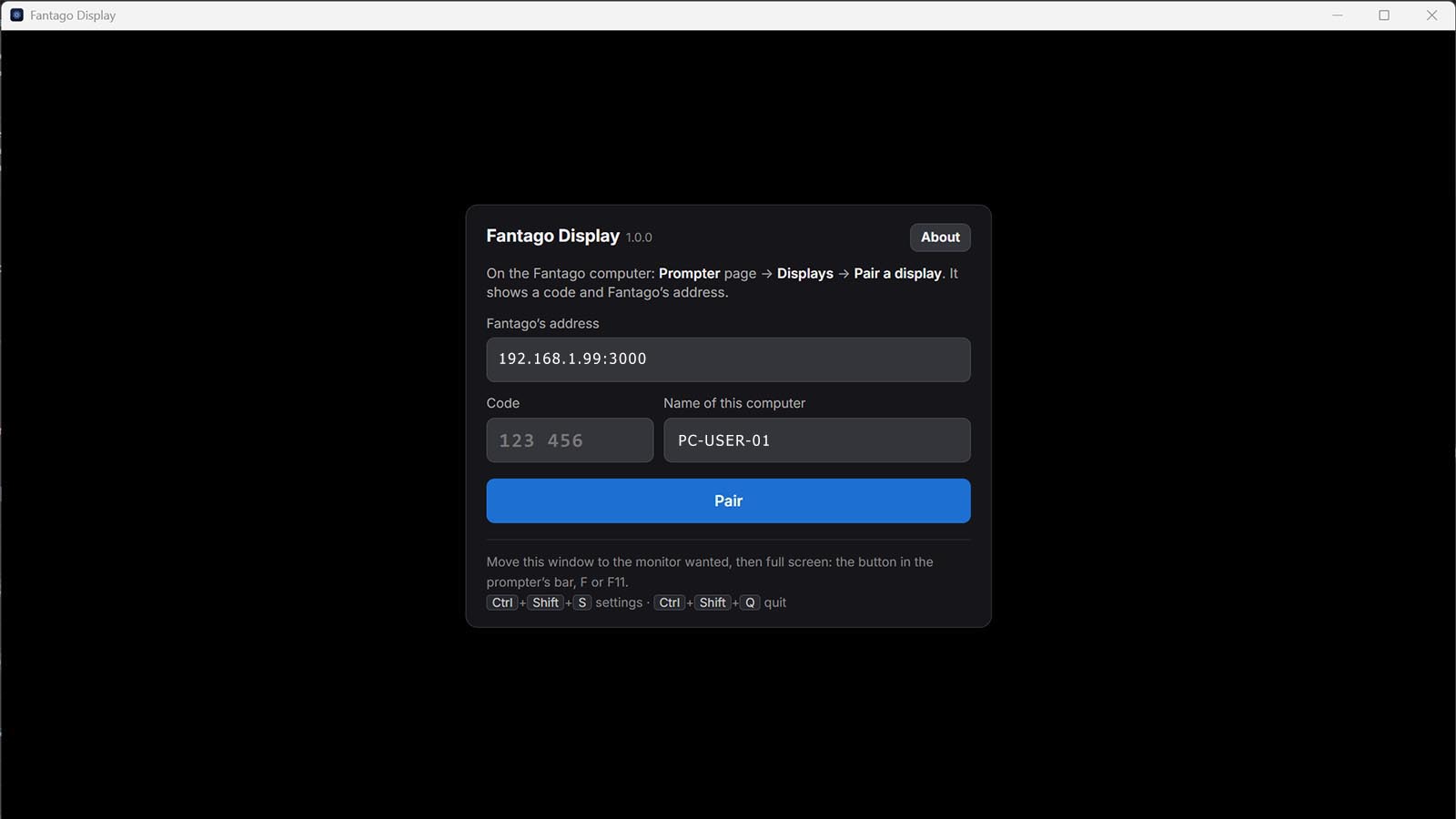
Fantago Display — prompter viewer
A small free application for the computer driving a prompter monitor: it shows a Fantago prompter in one ordinary window with no browser around it, on the monitor you choose, full screen, and keeps the screen awake. It pairs with a six-digit code issued on the Prompter page, reopens exactly where it was, and waits for Fantago when it is not reachable. How the teleprompter works.
System requirements: Windows 10 or 11, or macOS 13 Ventura or later (a Mac on macOS 12 Monterey cannot run it: any browser can still show a prompter there). It needs Fantago on the same network with at least one prompter. Any browser can show a prompter just as well — this is for a machine whose only job is the prompter. Fantago Display has its own version number, 1.0.0, independent of Fantago's, and does not announce its own updates: new versions are downloaded from this page.
Three steps, on the prompter computer:
- Install and start it. On Windows, the installer is not code-signed yet, so Microsoft Defender SmartScreen shows a warning: click "More info", then "Run anyway" — the same notice as for Fantago itself. The macOS disk image is signed and notarized and runs on both Intel and Apple silicon.
- Pair it. It asks for the Fantago address and a six-digit code, which you get from Prompter → Displays in Fantago. The code lasts five minutes and is used once.
- Choose the prompter and the monitor, then put it full screen from the prompter bar's button (or F / F11). Ctrl+Shift+S reopens the setup, Ctrl+Shift+Q quits.
Removing a display from the Displays list in Fantago stops its prompter at once and sends that computer back to pairing. If Fantago is restarted or temporarily unreachable, Fantago Display waits and comes back on its own, showing the prompter where it left it.