
01A teleprompter that the rest of the gallery can drive
The script scrolls on the studio monitor; play, speed, markers and text size come from the same panels and Stream Decks that run the show.
A teleprompter is usually an island: its own laptop, its own operator, its own remote. It works, until the moment it matters — the guest answers short, the item is dropped, the presenter is reading ahead — and the person who can fix it is the one person who is not looking at the gallery.
Fantago's prompter is part of the system that already runs the studio. The script is written in Fantago, shown full screen on the prompter monitor, and driven from anywhere Fantago reaches: a button on a tablet panel, a key on a Stream Deck, a dial on a Stream Deck +, a Logic Flow, the REST API. The director can jump to the closing marker from the same surface that cuts the cameras, and the presenter's own phone can be the prompter.
In Fantago
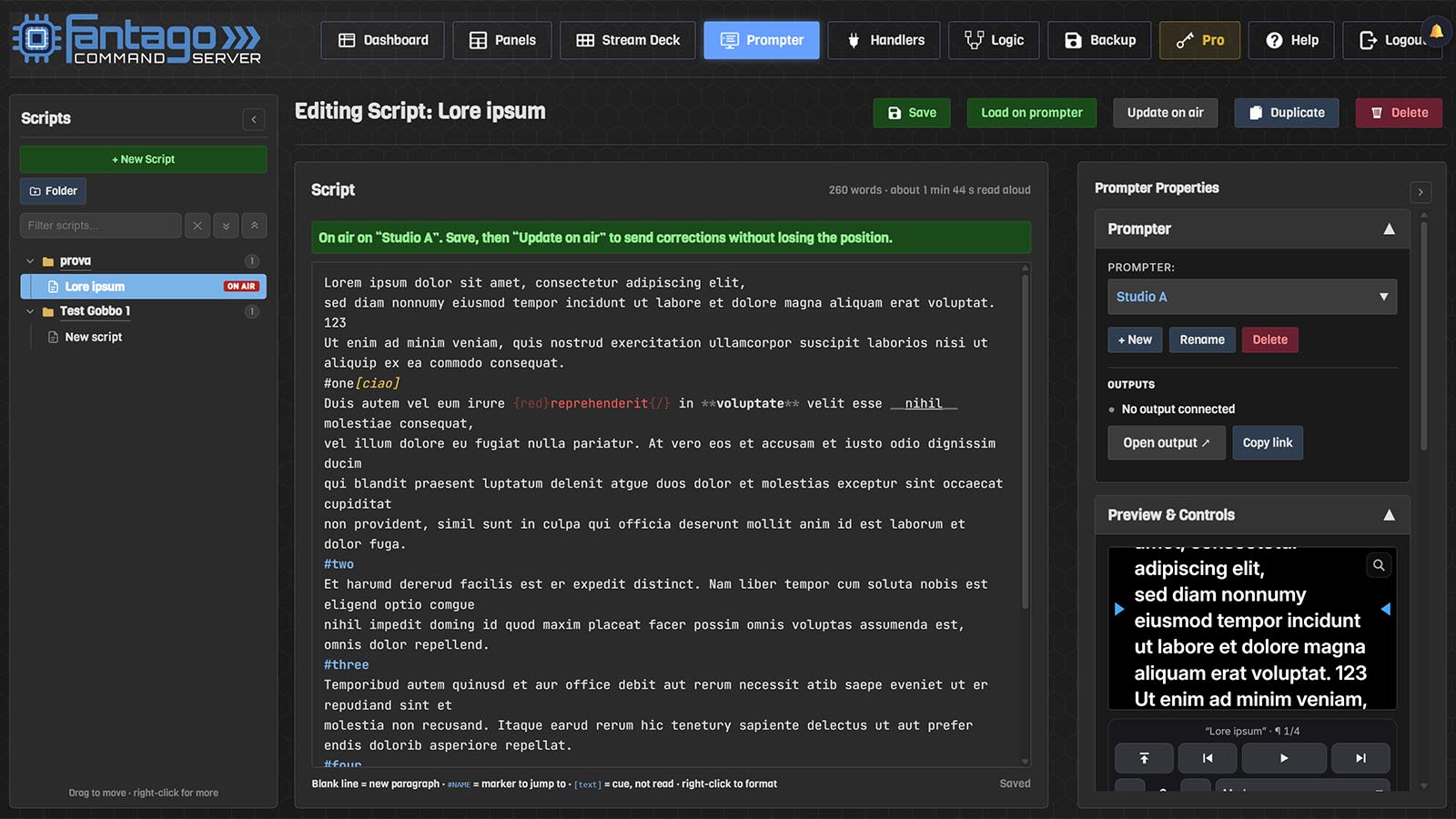
A script library in folders, with bold, italics, colours, markers to jump to and cues in brackets that are never read aloud.
On any screen
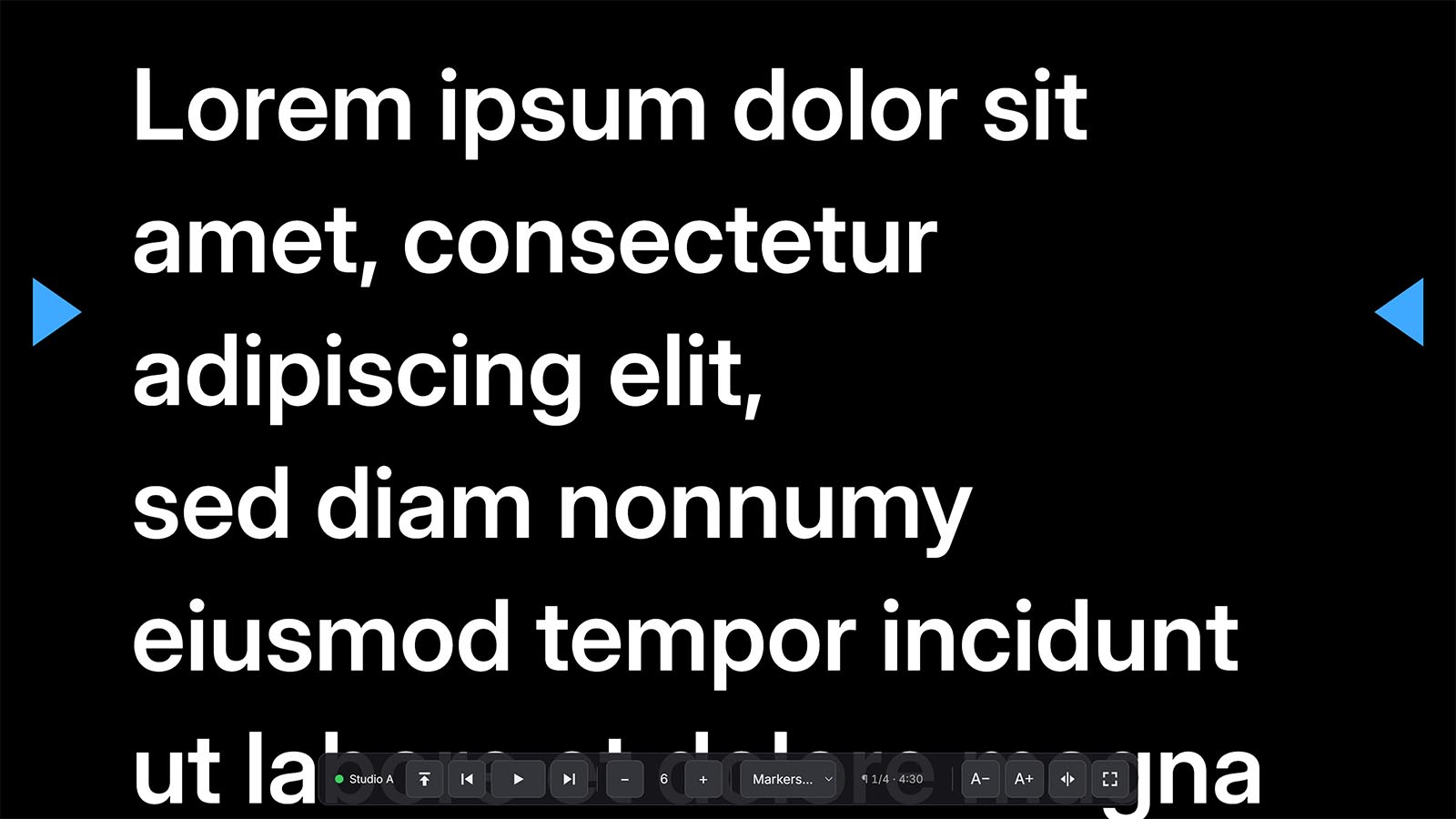
A browser full screen on the prompter monitor, a tablet on the desk, a phone in the hand — or Fantago Display, a window with no browser around it.
From the gallery
Play, pause, speed, next paragraph, go to marker, text size, mirror and blank from panels, Stream Deck keys, Stream Deck + dials and Logic Flows.
For a beam splitter
Mirrored horizontally for a beam-splitter hood, flipped vertically for a monitor mounted upside down.
02From nothing to a scrolling script
Five minutes, with whatever screen you already have under the lens.
- Prompter → + New in Fantago creates a prompter and gives it a name — Studio A, Desk, one per set.
- Write or paste the script in the editor. A blank line starts a
new paragraph; a line beginning with
#—#WEATHER,#CLOSE— is a marker you can jump to; anything in[square brackets]is a cue, shown in its own colour and clearly not to be read. - Open the output on the computer wired to the prompter monitor: Open output ↗, or Copy link and paste the address there. Put it full screen and mirror it in Appearance if it is behind a beam splitter.
- Pair that computer: the output asks for a 6-digit code, which the Displays section issues. Only a browser logged in to Fantago, or a computer paired this way, may show a prompter.
- Load the script and press play — from the preview on the Prompter page, from a panel button, or from a Stream Deck key.
03The controls where the show already is
A prompter is a device in Fantago, so it is built into panels and Stream Decks like a camera or a mixer.
| Gesture | What it does |
|---|---|
| A panel button | Play / Pause, Stop, Next or Previous Paragraph, Go to Marker, Load Script, Mirror, Blank — one press, like any other Fantago button, with the key lighting up while the prompter is running. |
| A Stream Deck key | The same actions on hardware, with feedback: the Play key is green while the text moves, the marker key lights while that marker is the one on air. |
| A Stream Deck + dial | Turn it and the reading speed follows the hand ({{control_delta}}); push it to play or pause; the strip above shows the speed, the paragraph or the time left. |
| A panel fader or rotary | Speed as a position ({{control_percent}}): the middle of the travel is stopped, above it reads forwards, below it scrolls back. |
| A Logic Flow | Stop the prompter when the mixer cuts to the VT, load tomorrow's script at six in the morning, blank the screen when a camera goes to air. |
| The output itself | Space, arrows, Home / End, the number keys for the first nine markers, the wheel — and a bar that appears on mouse movement. All of it keeps working while Fantago is unreachable. |
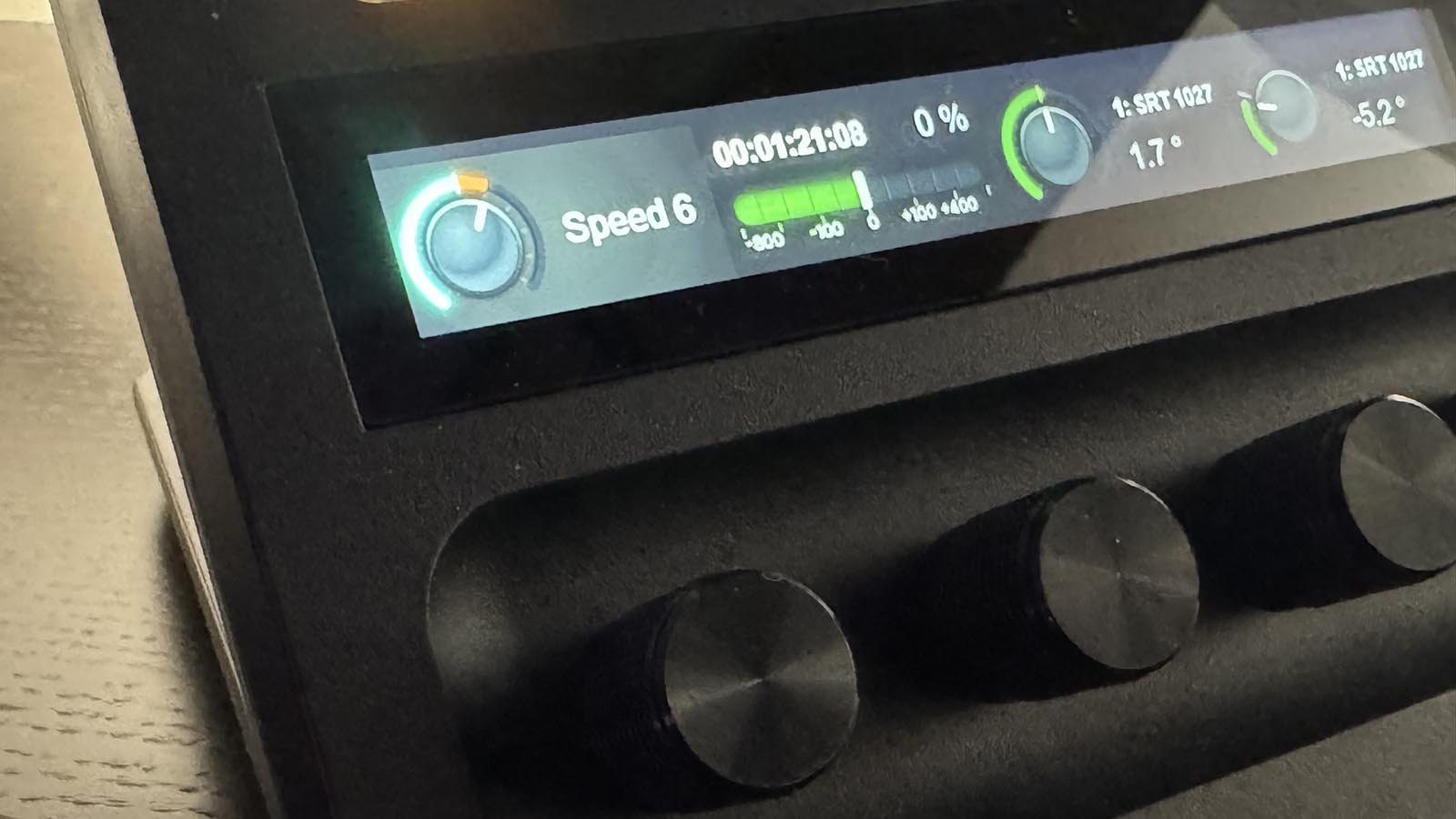
Picking an action fills in the rest for you: the feedback rule that lights the key, and on a fader or dial the variable that says where the prompter is, its mode and its scale.
{{studio_a_time_left}} on a panel
and the director sees how much reading is left.04The screens: monitor, tablet, phone
Several outputs at once, all on the same words.
A prompter may be shown by as many screens as you like — the hood under the lens, a repeat in the gallery, a tablet on the desk. The first visible one leads and the others are kept on its words, so everyone reads the same line.
Any computer
The output page full screen on the prompter machine. Nothing to install; the login or a pairing code lets it in.
Fantago Display
A free program for Windows 10/11 and macOS 13 or later: one window with no browser around it, on the monitor you choose, full screen, reopened where it was and keeping the screen awake.
In the hand
The /prompters menu added to the Home Screen opens full screen. Tap to start or stop, double tap back to the paragraph, drag up and down to move the text, sideways for the speed.
On the desk
The same page with the full control bar — a presenter's prompter and a panel of Fantago buttons on the same device.
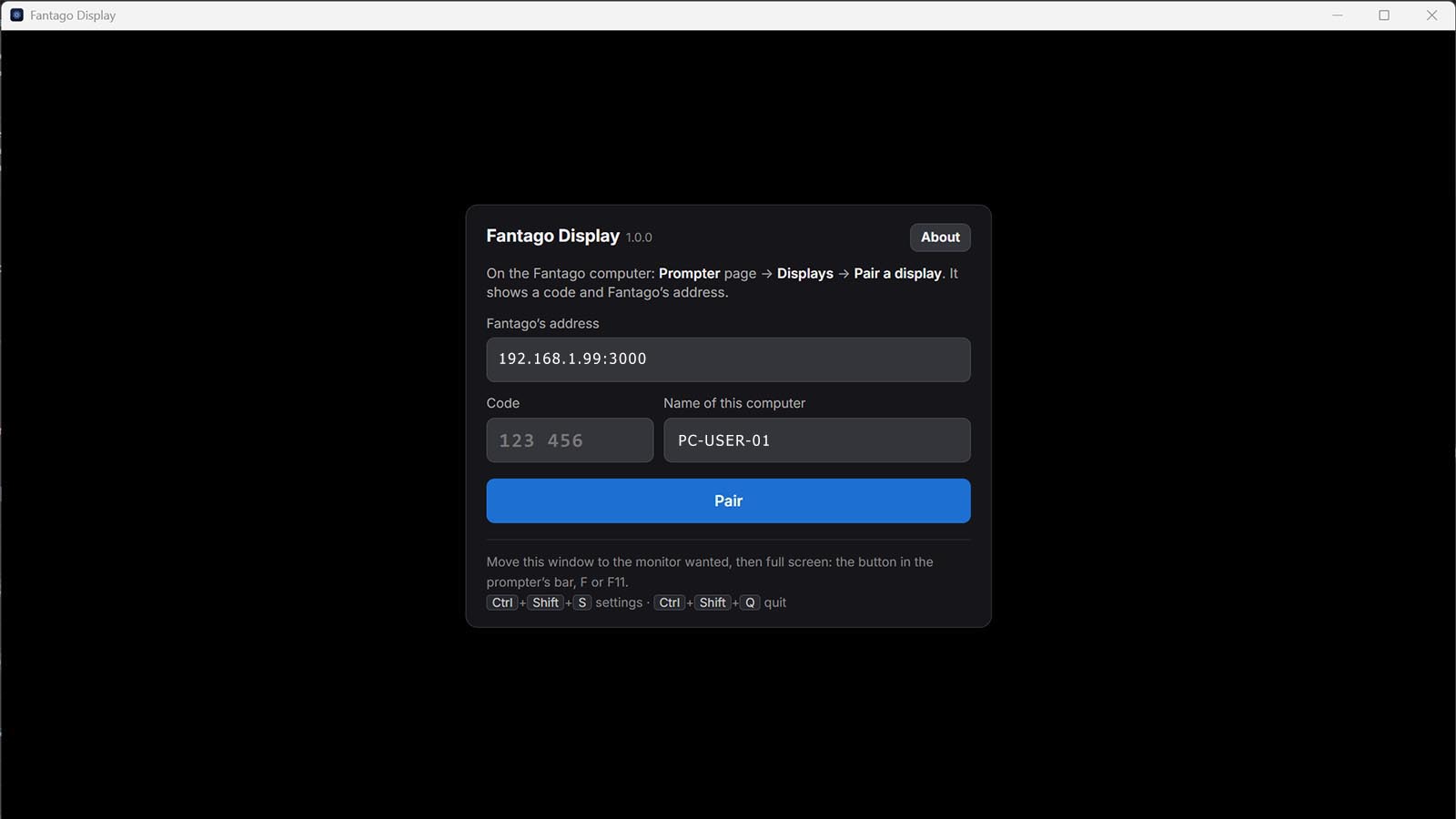
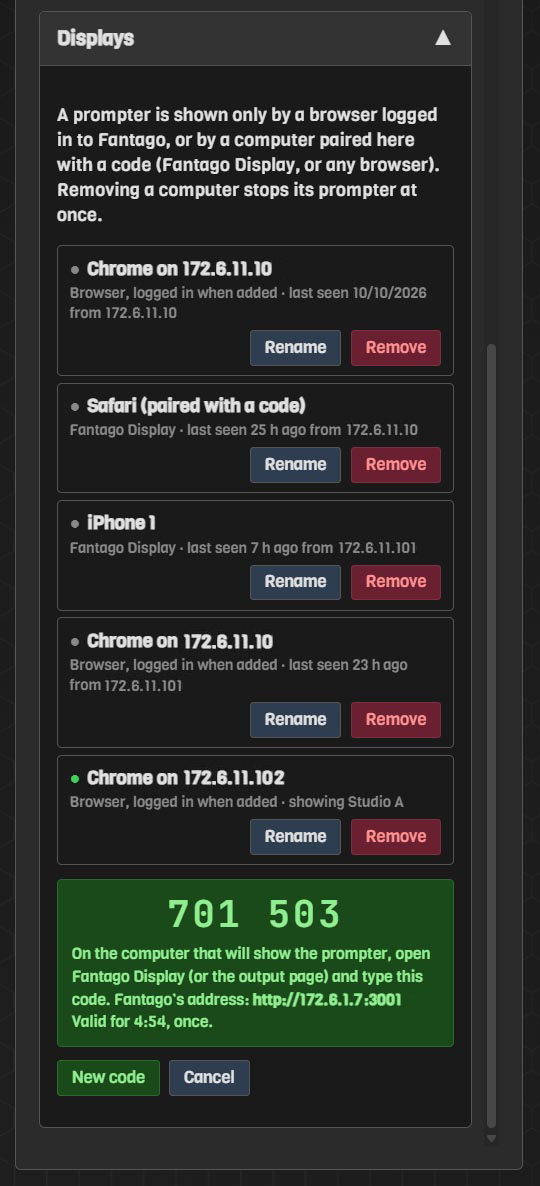
- Press Pair a display in the Displays section of the Prompter page: a six-digit code appears, valid for five minutes and for one pairing.
- Type the code on the prompter computer, in Fantago Display or on the output page, together with the address of Fantago.
- The computer joins the list, with what it is showing and when it was last seen. Remove stops its prompter at once.
05Writing for the person reading it
Plain text, a handful of marks, and the things a studio actually needs.
| In the script | On the prompter |
|---|---|
| A blank line | A new paragraph — the unit Next and Previous jump between, and what the director thinks in: one item, one answer, one link. |
#SPORT at the start of a line | A marker: a named place a key, the Markers menu or the number keys jump to. The running order, inside the script. |
[look at camera two] | A cue in its own colour, clearly not to be read aloud. |
**bold**, *italic*, __underline__ | Emphasis, shown formatted while you type. |
{red}…{/} | Colour — ten named colours or any colour of your own. Across a studio, a colour reads better than bold. |
Corrections do not wait for the end of the item: edit the script in the library and press Reload, and the latest version reaches the talent without losing the position — at the words they are reading. The scripts live in a tree of folders, one per show or per day, and travel in the Fantago backup with the rest of the system.
06Frequently asked questions
| Question | Answer |
|---|---|
| Do I need special hardware? | No. A screen is enough — the prompter monitor you already have, a spare display, a tablet or a phone. For a beam-splitter hood, turn on horizontal mirroring in Appearance. |
| What happens if the network drops? | The output goes on scrolling by itself, and its own bar and keyboard keep working. When Fantago comes back, the page's state wins — somebody may have used it meanwhile. |
| Can the presenter control it themselves? | Yes: the output's own bar, keyboard and touch gestures. If you would rather they could not, Lock from Fantago ignores them while commands from the gallery still work. |
| Can two prompters run different scripts? | Yes. Each prompter is its own device with its own script, speed and screens. The demo version allows one. |
| Does it work on an iPad or an iPhone? | Yes. Open /prompters, add it to the Home Screen, and it opens full screen; the text itself is the control. On an iPhone the app from the Home Screen is a separate browser, so it is paired once there. |
| Is it extra software? | The prompter is part of Fantago, at no extra cost. Fantago Display, for a dedicated prompter computer, is a free download. |