
01The problem vMix alone can't solve
vMix is your switcher. It was never meant to be your control room.
vMix is excellent at what it does: mixing, streaming, recording. But the moment your show also needs to move a camera, cut a projector feed, route a Dante mic, or dim a light — vMix's own interface has nothing to say about any of it. You end up with vMix's web controller in one window, the PTZ camera's app in another, the lighting console's own touchscreen next to it, each with its own login, its own layout, its own shortcuts that don't talk to each other. One operator, four interfaces, one live show.
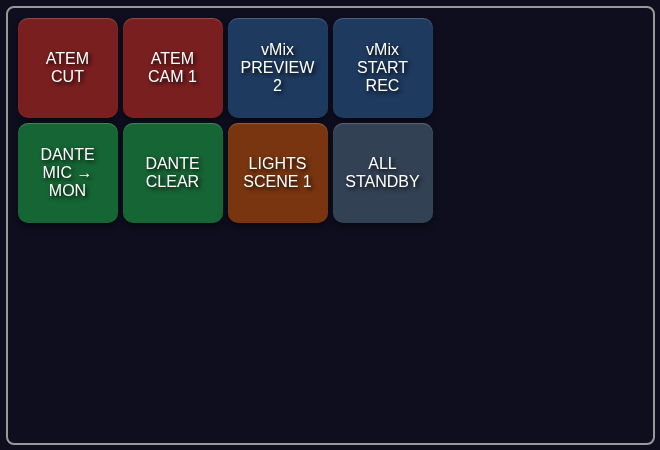
Fantago puts vMix on the same panel as everything else in the room. Not a copy of vMix's controls bolted onto a different screen — one button that cuts a vMix input, and the button next to it that pans a camera, routes Dante audio or fires a lighting scene, all built the same way, all showing live state the same way.
Real-time tally
PGM/PVW, audio mute/solo, overlay and transport state — pushed the instant vMix changes, including from a direct click inside vMix itself, not polled.
GUID-stable buttons
Every action references an input by its GUID, not its number — reordering inputs or restarting vMix does not silently repoint a button.
The full transport
Cut, fade, wipe, stinger and merge transitions, overlays, titles, recording/streaming/external output, audio.
Need vMix's own web controller running
Fantago speaks the TCP API on port 8099 directly. The Web Controller port (8088) is only used for one thing — see Handler Configuration below.
02Five minutes to a working button
- Enable the vMix TCP API. In vMix: Settings → Web Controller → enable it, and note the TCP port (default 8099).
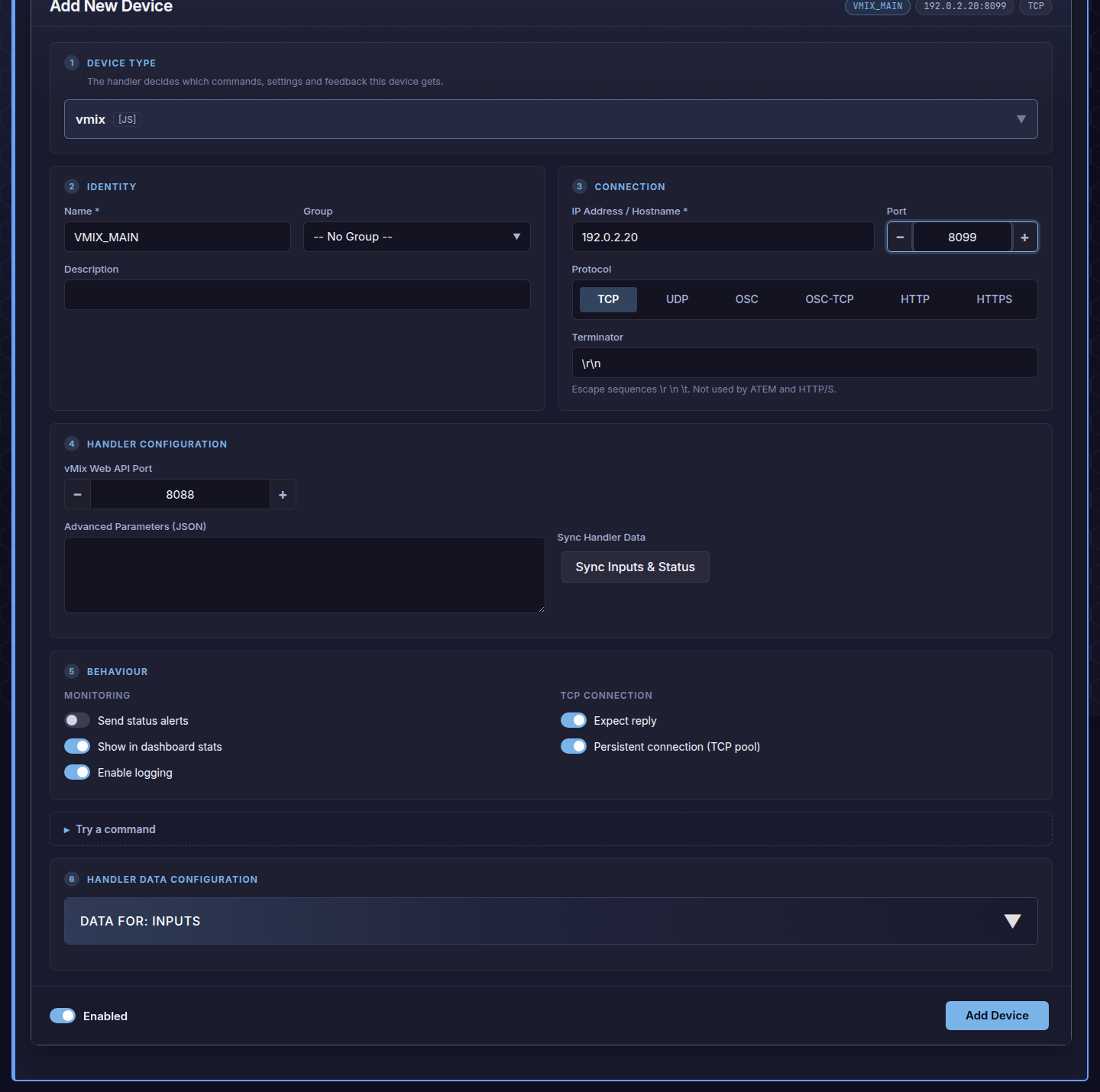
- Add the device. Dashboard → Add New Device → handler
vmix, protocol TCP, port 8099, the IP of the PC running vMix. Terminator\r\n. Turn on Persistent Connection — vMix's real-time ACTS feedback is pushed over a connection that stays open, so without a persistent connection you only get command/response, no live tally. - Set the Web API Port. Card 4, vMix Web API Port (default 8088) — used only when Fantago needs to read the current input list back over HTTP; the TCP connection above carries every command and every tally update.
- Press Sync Inputs & Status. This reads your current input list by name and caches it, so action dropdowns show "Camera 1" and "Lower Third", not raw GUIDs.
- Build a button. Panel Builder → Actions → Device Command → your vMix → Preview Input or Active Input (Cut) → pick the input by name. The feedback rule comparing against live tally is written for you.
03Building a panel that isn't just vMix
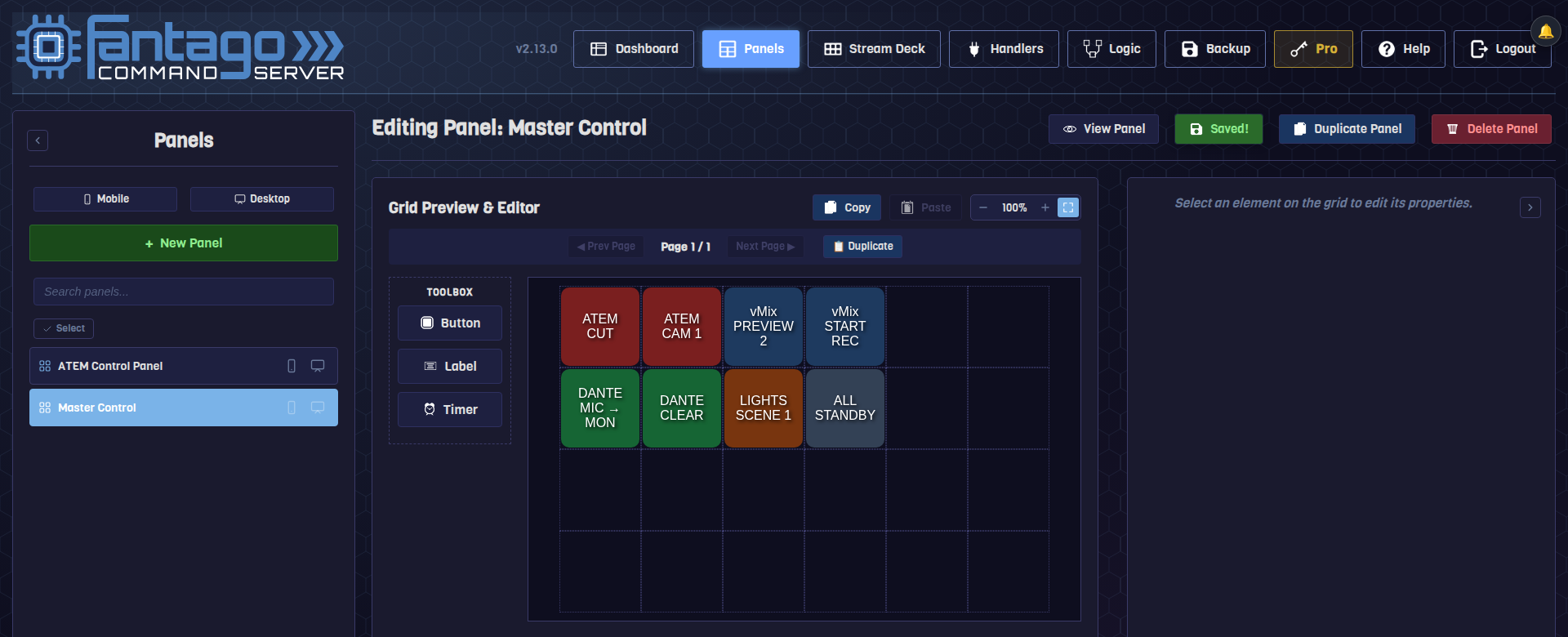
The point of the exercise: a button from vMix and a button from anything else, side by side, built the same way.
Once vMix is added as a device, it behaves exactly like any other device in the Panel Builder — drag a button, pick Device Command, pick vMix, pick an action. There is no separate "vMix mode": the next button you drag can point at an ATEM, a Dante route, a PTZ camera or a Logic Flow, on the very same grid.
04What you can trigger
| Group | Actions |
|---|---|
| Program/Preview | Preview Input · Active Input (Cut) · Quick Play (straight to Program) |
| Transitions | Cut · Fade · Transition 1–4 · Stinger 1–2 · Merge · Wipe — with a configurable duration where it applies |
| Media transport | Play · Pause · Play/Pause (toggle) · Restart |
| Overlays & titles | Overlay 1–4 Toggle/In/Out · All Overlays Off · Set Title Text (by field name, e.g. Headline.Text) |
| Audio | Mute (On/Off/Toggle) · Solo (On/Off/Toggle) · Set Volume (0–100) |
| Recording & output | Start/Stop Recording, Streaming, External Output, MultiCorder |
| Scripting | Start/Stop a named vMix script |
05Tally: what lights the button
vMix pushes ACTS activation messages over the same TCP connection — Fantago turns them into system variables the instant they arrive.
vMix's own protocol distinguishes two shapes of event: most are per-input
(ACTS OK <Name> <inputNumber> <value>), but a handful
are global, with no input number at all —
Recording, Streaming, External, MultiCorder, Fullscreen, FadeToBlack and
PlayList. The handler knows the difference, so a fader move on Input 3 and
a stream starting both land in the right variable without any configuration.
Because tally arrives as a push, not a poll, a button lights the same instant someone cuts vMix directly at the machine, from vMix's own shortcuts, or from a completely different Fantago panel — there is exactly one source of truth.
06Frequently asked questions
My buttons work but never light up
Almost always a connection that is not persistent — one-shot TCP connections get the command through but close before vMix's tally push arrives. Edit the device, enable Persistent Connection (TCP pool), save.
I reordered my inputs in vMix and a button now points at the wrong one
That should not happen — buttons store the input's GUID, not its position — but if a button predates the GUID-stable behaviour (created before v2.0), rebuild it once from the current, synced input list.
Can I run vMix and an ATEM from the same Fantago install?
Yes — they are two independent devices, and a single panel or Stream Deck profile can mix buttons from both freely, including a Logic Flow that reacts to one and commands the other. See the Blackmagic guide for the ATEM side of that pairing.