
01One switcher, one screen — until the show needs more
Blackmagic's own tools are excellent at controlling Blackmagic gear. They stop there.
ATEM Software Control runs the switcher. The HyperDeck has its own web page. The Teranex has another. Each does its one job well — and each is a separate window, on a separate screen, that only knows about its own box. The moment your show also needs a camera move, a Dante route or a lighting cue timed against a cut, you are the one bridging four interfaces in your head, live, on air.
Fantago puts the ATEM on the same panel as everything else — built against the real UDP protocol Blackmagic's own control panel uses, not a lowest-common-denominator translation layer, so the actions match what the switcher actually does down to individual keyer state and SuperSource boxes.
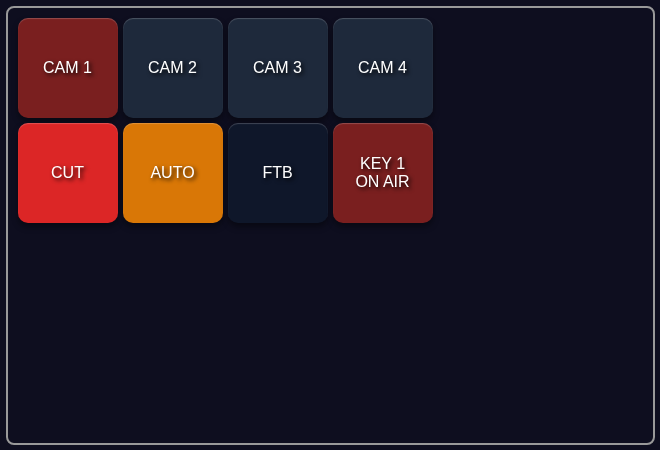
This guide uses the ATEM handler as the running example, because it has the most moving parts, and closes with the shorter list of what changes for the rest of the family.
Full switcher control
Cut, auto, program/preview per M/E, upstream and downstream keyers, SuperSource boxes, media players, AUX buses, audio faders.
Live feedback
Program/preview tally, keyer on-air state and connection status as system variables — the values panel buttons and Stream Deck keys light from.
The whole bench
HyperDeck, Teranex, Videohub, Multiview 16 and the camera REST API as separate devices, same panel, same Logic Flows.
Replace the ATEM Software Control panel
Fantago talks the same UDP protocol used by Blackmagic's own control panel — it is a second controller on the network, not a driver Blackmagic's software depends on.
02Five minutes to a working button
Add the switcher, sync its inputs, wire one button.
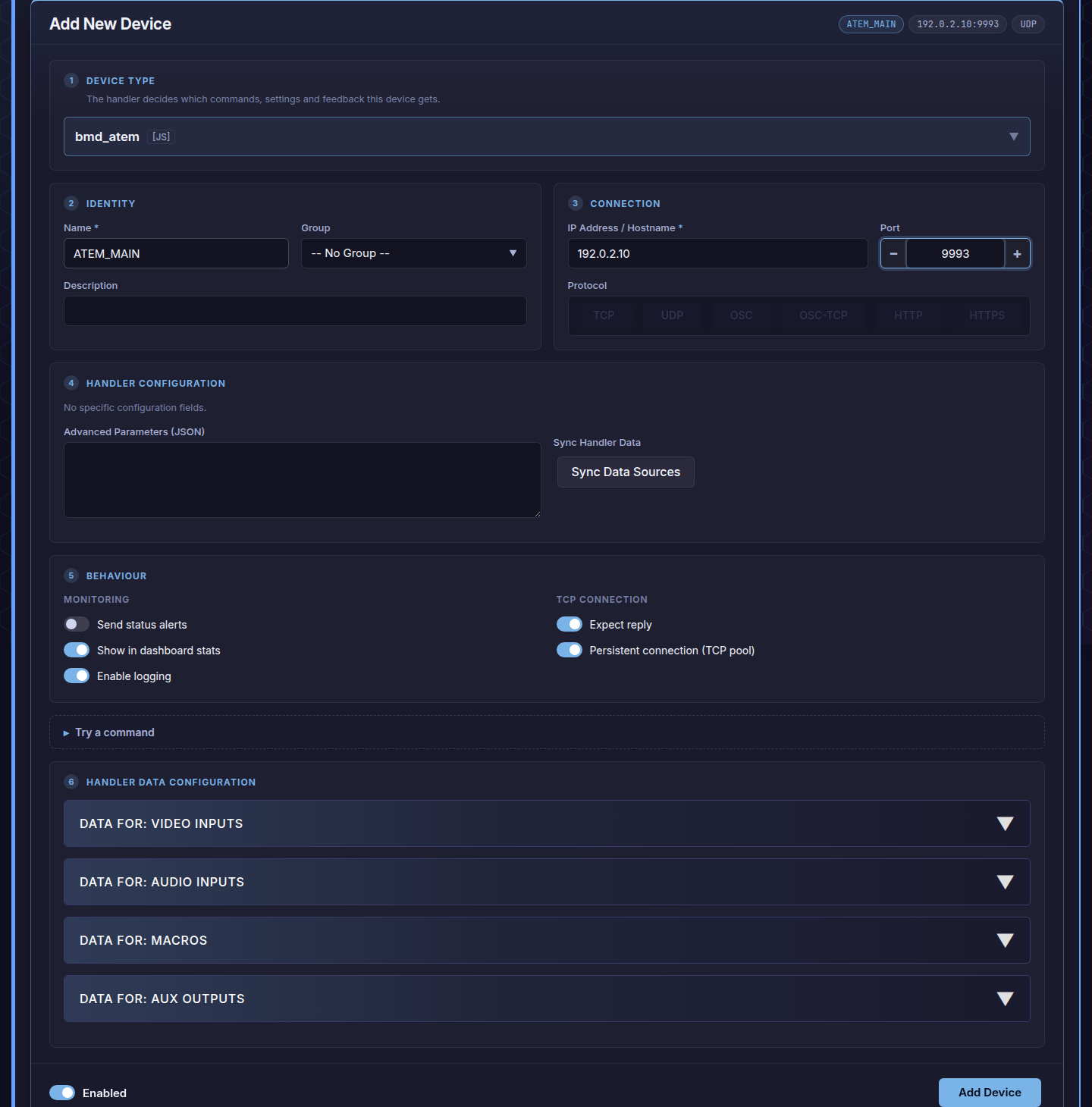
- Add the device. Dashboard → Configured Devices → Add New
Device. Device type
bmd_atem, protocol UDP, port 9993 — the ATEM's own IP on your production network. Save. - Press Sync Data Sources. This is the button that turns an ATEM from "an IP address" into a switcher Fantago actually understands: it reads back every input label, macro, audio channel and AUX output currently on the mixer and caches them, so every action's dropdown — Program Input, Macro, AUX 1 — is filled with your real source names instead of raw numbers.
- Build a button. Panel Builder → new panel → drop a button →
Actions → Device Command → your ATEM → Mix Effect: Set Program Input.
Pick the M/E block, then the input by name —
CAM 1, notInput 1. The feedback rule that lights the button on-air is written for you. - Open the panel. The button reflects
pgm_input_me0the moment the mixer changes — from this panel, from the physical control panel, from anywhere.
03Building the panel
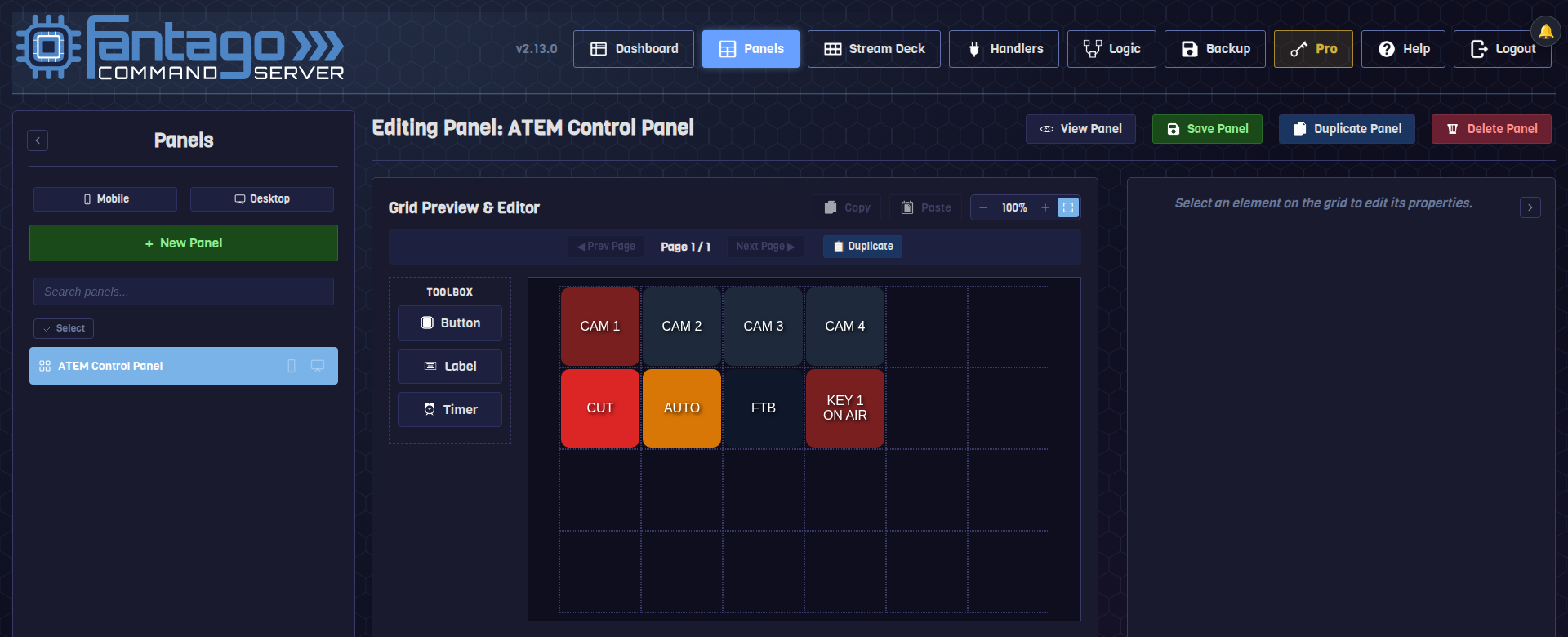
Every button is the same three clicks — the switcher does not get special treatment.
The panel shown above is eight ordinary buttons: drag one onto the grid, point it at the ATEM device, pick the action, done. Nothing about "this is a switcher" changes the workflow — the same Panel Builder that places these buttons places a vMix button or a Dante route right next to them.
04One vendor, five handlers, one panel
Each device family gets its own handler, built for its own protocol — but they all sit on the same dashboard, the same panels, the same Logic Flows.
A typical live-events rig with Blackmagic gear rarely has just a switcher. Fantago treats every unit as its own device with its own handler, so a rename, a reconnect or a protocol quirk on one never touches the others:
| Handler | Protocol | What it controls |
|---|---|---|
bmd_atem | UDP 9993 | Program/preview, cut/auto, USK/DSK, SuperSource, media players, AUX, audio. |
bmd_hyperdeck | TCP 9993 | Play, record, shuttle, jog, go-to-clip, go-to-timecode — one device per deck. |
bmd_teranex | TCP 9800 | Input/output format, SDI mode, HDMI output, noise reduction, test pattern, presets. |
bmd_multiview16 | TCP 9990 | Window routing, layout, format, solo — an X-Y panel the same way a router does it. |
bmd_camera_rest | HTTPS | Focus, iris, zoom, ND, white balance — the same REST API the Blackmagic Camera app uses. |
Because they are separate devices, a single panel button or Logic Flow can act on several of them at once — cut the ATEM, arm a HyperDeck and pull up a Multiview window in one press — without any of them knowing the others exist. See the Logic Flows guide for how those chains are built.
atem instead of bmd_atem — that is the
original native driver; bmd_atem is the current plugin build. Both speak
the same protocol and are kept compatible, but a given device only needs one.05What you can trigger
Every action mirrors a real control on the switcher — nothing is invented to fit a generic model.
| Group | Actions |
|---|---|
| Mix Effect | Cut · Auto Transition · Set Program Input · Set Preview Input · Fade To Black (per M/E block) |
| Keyers | Upstream Keyer On Air / Toggle (per keyer, per M/E) · Downstream Keyer On Air / Toggle (DSK 1–4) |
| SuperSource | Enable Box / Toggle Box · Set Box Input (per SuperSource, per box 1–4) |
| Media Players | Play · Pause · Stop · Rewind · Set Loop · Toggle Play/Pause · Toggle Loop |
| Macros & AUX | Run Macro · Set AUX Input (per AUX bus) |
| Audio | Toggle On/Off · Toggle AFV/Off · Set Fader Level (dB) |
Every dropdown that needs to know your switcher's shape — how many M/E blocks, DSKs, media players or SuperSource engines it has — reads that count live from the ATEM itself once you have synced, rather than assuming a fixed model. A 1 M/E switcher and a 4 M/E switcher get the correct set of options, automatically.
06Feedback: what lights the button
Program and preview tally, keyer state, connection status — published as system variables, the same mechanism every Fantago feedback rule uses.
The handler keeps a set of system variables in step with the switcher's real state — the same values a hardware control panel's tally lamps would follow:
| Variable | What it holds |
|---|---|
connection_status | CONNECTED / DISCONNECTED |
product_name | The switcher model, as the ATEM itself reports it |
pgm_input_me0 / pvw_input_me0 | Current program / preview input ID, per M/E |
aux1_input … | Current input routed to each AUX output |
me_count / dsk_count / mp_count / ssrc_count / macro_count | How many M/E blocks, DSKs, media players, SuperSource engines and macros this switcher has |
A Program Input button's feedback rule compares its own input value against
pgm_input_me0 — when they match, the button lights red. Build it once
through the Panel Builder's feedback suggestion and every button of that type follows
the same rule automatically.
07Knowing when it drops
The switcher tells Fantago the instant its connection changes — no polling delay.
Most devices in Fantago are watched by periodic network pings, with a short debounce so a single dropped packet does not flip a device to OFFLINE by mistake. The ATEM handler is one of the exceptions: because the UDP connection itself carries a live/dead state, connection changes are reported to Fantago instantly, not on the next poll.
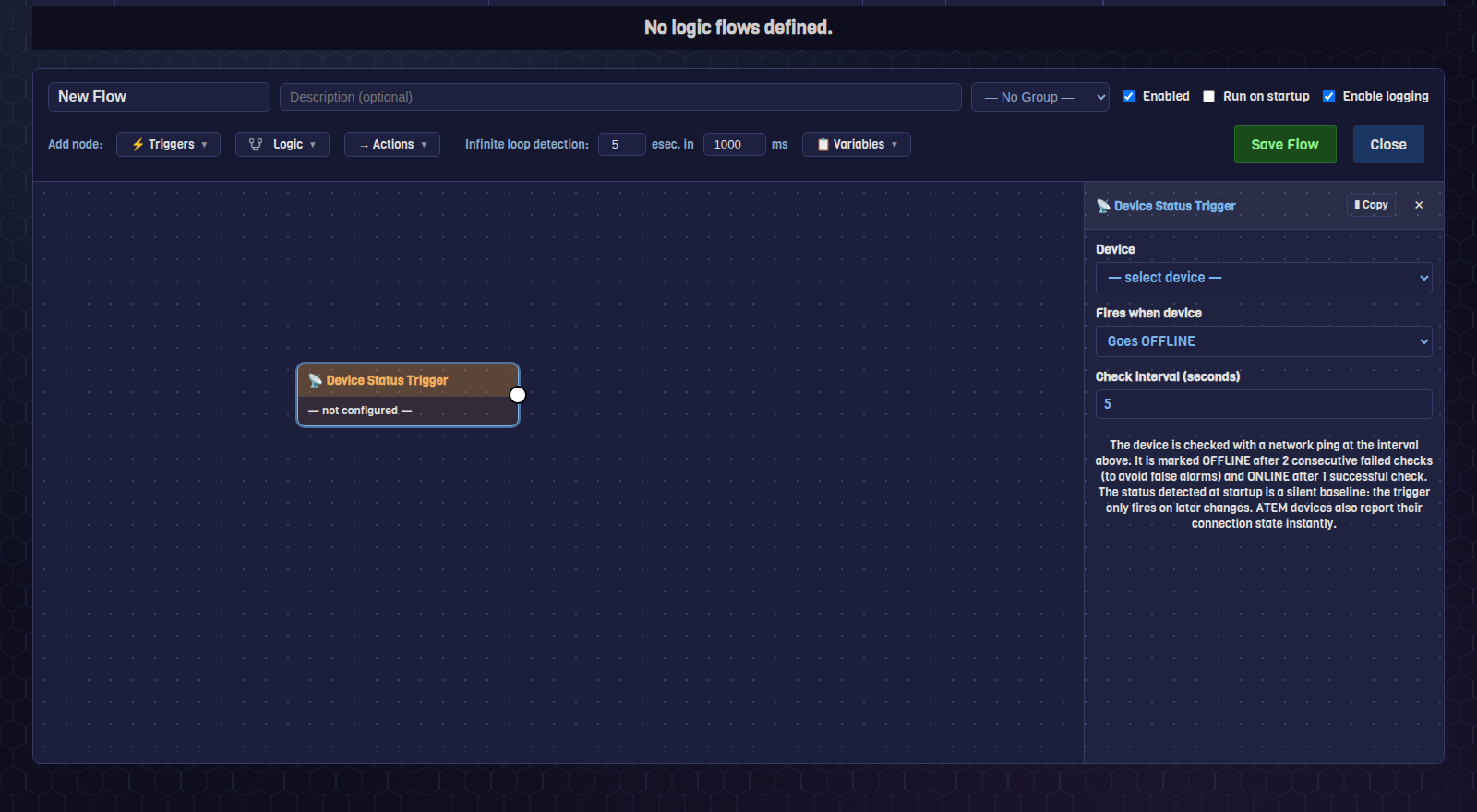
That makes a Device Status Trigger Logic Flow a good first automation for any Blackmagic rig: fire a dashboard notification, an email, or both, the moment the switcher — or a HyperDeck, or a Teranex — goes offline, instead of finding out when a button stops responding on air. The Logic Flows guide builds exactly this flow from scratch.
08Frequently asked questions
I renamed the device and now nothing responds
Fantago keeps the ATEM's live connection keyed to the device's name, not its database row. Renaming a device tears down and reopens the connection under the new name automatically — give it a few seconds after saving before pressing a button. If it still does not respond, check the device is still Enabled.
My dropdowns say "Input 1" instead of my real source names
That is the placeholder shown before the first sync. Press Sync Data Sources on the device (or Sync Inputs & Status for vMix, Discover & Sync Dante Network for Dante — every handler with dynamic sources has one) and rebuild the button; existing buttons update their label the next time you edit them.
Do I need one Fantago device per M/E, or per keyer?
No — one ATEM device covers the whole switcher. M/E, keyer, DSK, SuperSource box and media player are all parameters on the actions of that one device, not separate devices.
Can a button control both the ATEM and a HyperDeck at once?
Not from a single Device Command action — but a panel button can hold several actions in sequence (cut the ATEM, then start the HyperDeck recording), and a Logic Flow can react to one device's state and command several others, which is the more powerful way to tie a whole bench together.