

Drive Fantareel from Fantacore
Every operator action of Fantareel can be triggered from Fantacore — a Stream Deck key, a dial, a touch panel, a sequence, a schedule — and every change in Fantareel comes back to Fantacore in real time.
What you can do from Fantacore
Real-time feedback for keys and dials: the item on air and its remaining time, the selection, the NDI® tally, REC and STREAM, graphics on or off, the audio bed — pushed as events on the WebSocket, at the rate the client asks for.
| Area | Actions |
|---|---|
| Playout | Take an item (by position or id), Next, Previous, Cue (on air, paused on the first frame), Play / Pause, Restart, Seek, Black, Fade to black |
| Cursor | Move the rundown selection up / down with a dial, take or cue the selected item — the operator sees the same highlight |
| Transitions | Cut, fade or one of 15 wipes, with its length |
| Items | Loop, end action, level, marks, display time, transition, skip / planned, start in time, audio picture; add a file, remove, move, copy parameters |
| Rundowns | List the rundowns of the rundown folder, load one (refused if the open one has unsaved changes, unless you say so) |
| Graphics | The rundown's graphics on, off or toggled, one by one or all |
| Outputs | Record start / stop and its schedule, SRT stream start / stop, NDI® on / off |
| Audio | Audio bed play / stop / restart, loop, mix / only, level |
| Timing | Scheduled start, rundown repeat |
| State | Program, time (elapsed, remaining, levels), statuses, SRT inputs and their link figures, licence, updates |
Set it up in three steps
Five minutes, and your Stream Deck runs the playout.
In Fantareel
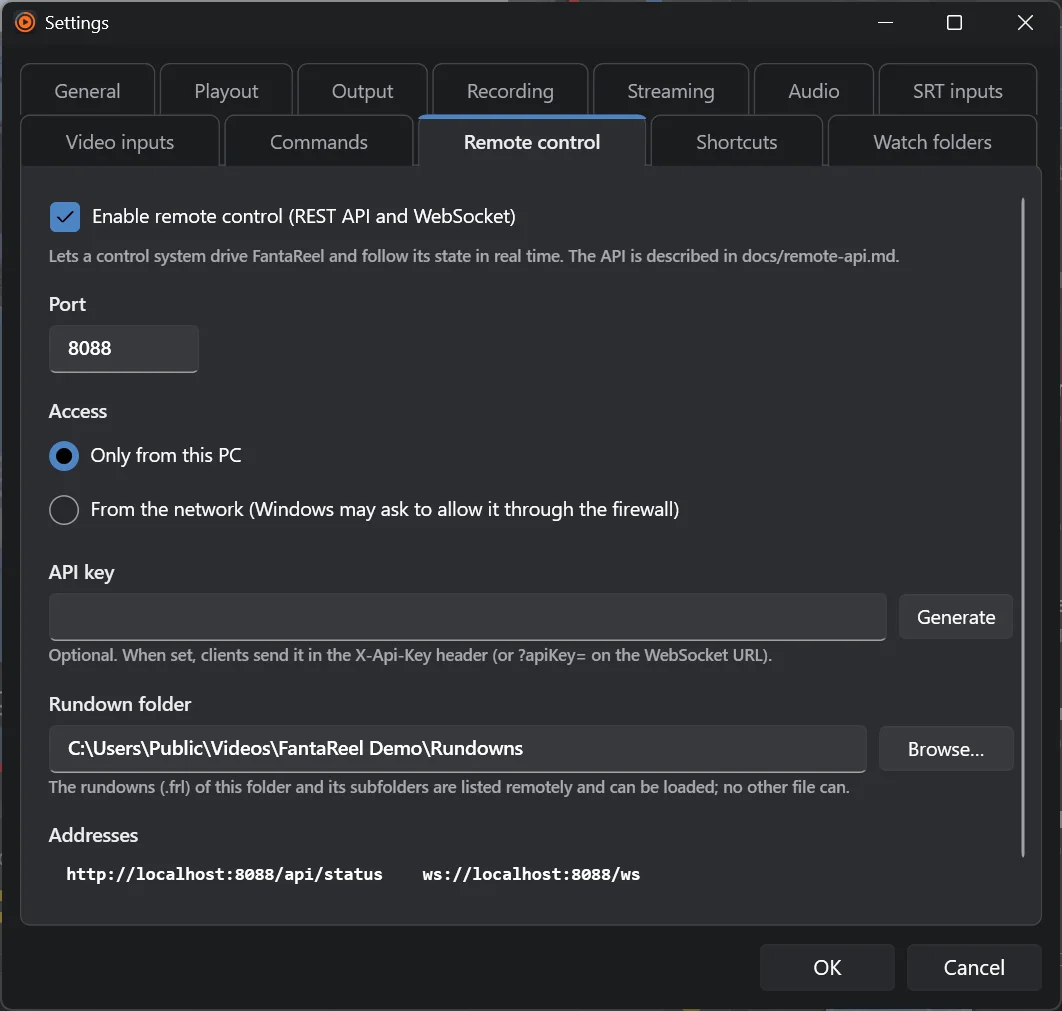
Settings › Remote control: Enable remote control, port 8088, From the network if Fantacore runs on another computer, optionally an API key, and the rundown folder Fantacore may load rundowns from.
In Fantacore
Add a device with the Fantareel handler, the address of the Fantareel computer, the port and the API key.
Build your panel
Assign Next, Take, Fade to black, the selection dial, graphics toggles, REC… to keys and dials: their colours follow Fantareel's state.
For developers
One socket for everything.
- Base URL
http://<host>:8088— REST under/api/…, WebSocket at/ws?time=100(timing every 100 ms). - Discovery
GET /→{"name":"FantaReel","version":"…","api":"/api/status","websocket":"/ws?time=100"} - Security: an optional API key in the
X-Api-Keyheader, or?apiKey=on the WebSocket URL. Plain HTTP: keep it on a trusted network. - WebSocket (recommended): commands go up as JSON
{"id":"1","action":"next"}, each answered by aresult; state and events come down on the same socket. - REST for scripts:
POST /api/playout/next,POST /api/playout/take/3,POST /api/graphics/all/off,POST /api/recording/start,PUT /api/rundown/schedule. - Many clients at once, each with its own queue: a slow client never slows Fantareel down, and the operator keeps full control.
curl
curl -X POST http://studio-pc:8088/api/playout/next -H "X-Api-Key: <key>"
curl http://studio-pc:8088/api/status -H "X-Api-Key: <key>"
WebSocket
→ {"id": "7", "action": "take", "index": 3}
← {"type": "program", "program": {"index": 3, "title": "Tropical sea", "kind": "Video", "paused": false}, "time": {…}}
← {"type": "result", "id": "7", "ok": true, "data": null}
Events caused by a command can arrive before or after its result.
NDI® is a registered trademark of Vizrt NDI AB.