
Your rundown. On air.
A playout engine for people who go live: clips, images, live feeds and graphics, taken to air with one key — out to SDI, NDI®, SRT, a screen and a recording at the same time.
Full version. No time limit. A watermark until you activate it.




Overview
See it in action
Seven minutes to see what Fantareel does: the rundown, the graphics, the outputs and the automation that keep a show on air.
Made for every live room
Broadcast
Inserts, promos and live feeds to SDI in the gallery
Live Events
Walk-ins, stings and countdowns on the LED wall
Concerts & Theatre
Video cues fired with the show, lights in sync
Corporate & Conference
Speaker videos, lower thirds, the stream and the recording
Sports & E-sports
Replays, sponsors, scoreboard clocks and crawls
Venues & Signage
A looping rundown that starts and stops by itself
Load. Take. Relax.
Drag your media in, press Space, watch the next item go to air on the frame. Fantareel was built in a broadcast gallery for operators who cannot afford a surprise.
Build the rundown
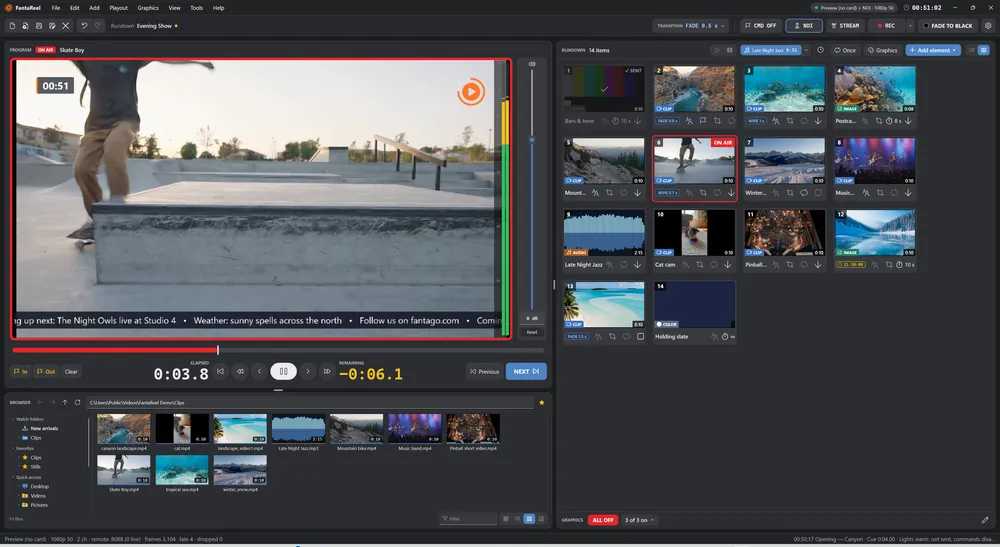
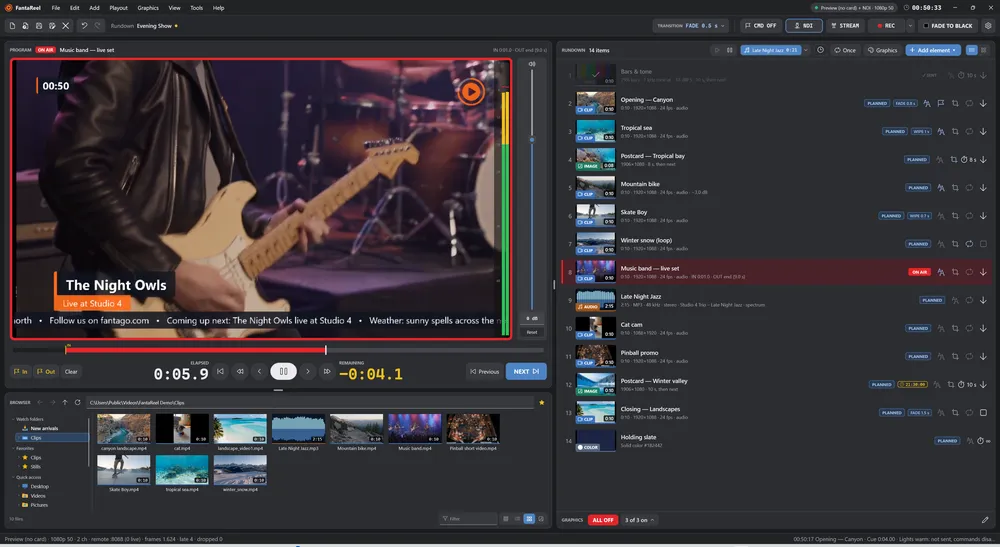
Drag clips, images, audio files, colours, bars, SRT feeds, cameras and NDI® sources into a list or a cart wall. Watch folders bring new files in by themselves.
Set each item once
Loop, mark in / out, level, what happens at the end, its own transition, its own graphics. Everything is saved in the rundown.
Take it to air
Space for the next item, a click for any other. Elapsed and remaining counters, a clip timeline, and badges that tell you what is planned, on air, sent or skipped.
NDI® is a registered trademark of Vizrt NDI AB — ndi.video
One program. Every output.
What goes to air is what everybody gets: the same picture, the same graphics, the same sound, the same frame. No extra mixer, no second machine.
SDI
Any Blackmagic DeckLink card, 720p to 2160p, 50 and 59.94
NDI®
With tally: see when a receiver puts you on program
SRT
Caller or listener, H.264 / H.265, AAC, MP2, AC-3, Opus or PCM
Screen
Full screen on any monitor of the PC
Recording
H.264 / H.265 MP4 or DNxHR MOV, by hand or on a schedule
Graphics
Design. Overlay. Go live.
Lower thirds, clocks, crawls, rolls, logos and animated clips with transparency — designed in a WYSIWYG editor right over the picture, then switched on with the item or for the whole show.
- Titles with box, accent bar, outline and soft shadow — positioned by a nine-point anchor
- Clocks, crawls and rolls that keep moving smoothly on every field
- PNG logos and ProRes 4444 / QuickTime Animation clips with their alpha
- A GRAPHICS bar under the rundown: every overlay on or off in one click
Cues & commands
Cue. Command. Automate.
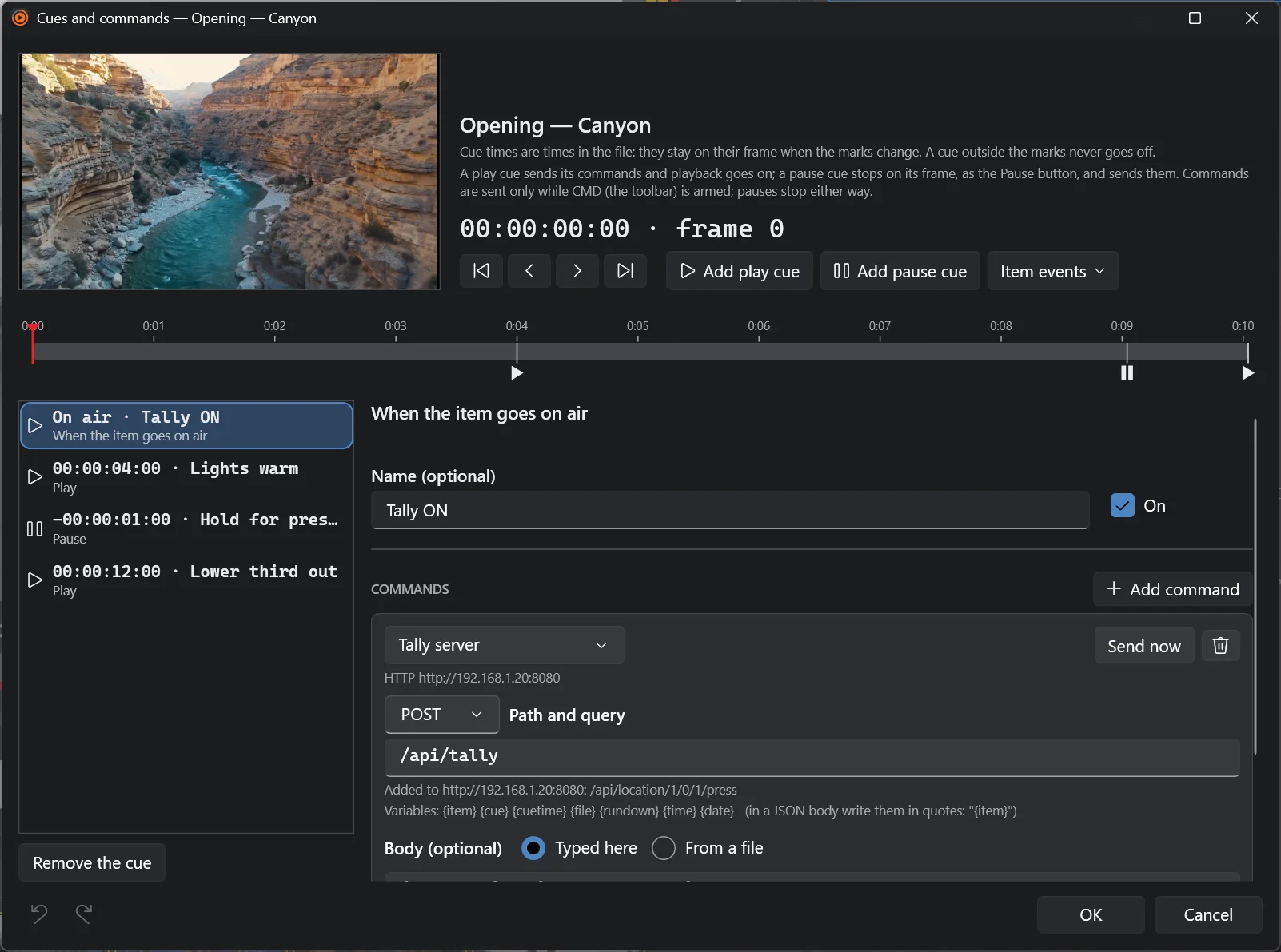
Put a cue on any frame of a clip and Fantareel fires the lights, the tally, the graphics engine or the next device in your chain — exactly when that frame leaves the output. Or stop there and wait for the presenter.
- OSC, UDP, TCP and HTTP / HTTPS commands, with variables like
{item},{time}and{file} - Pause cues that hold on the frame, and resume by themselves if you want
- On air / End / Off air events for every item
- Armed only when you say so: rehearsals never fire a thing
Live inputs
Live feeds, live confidence.
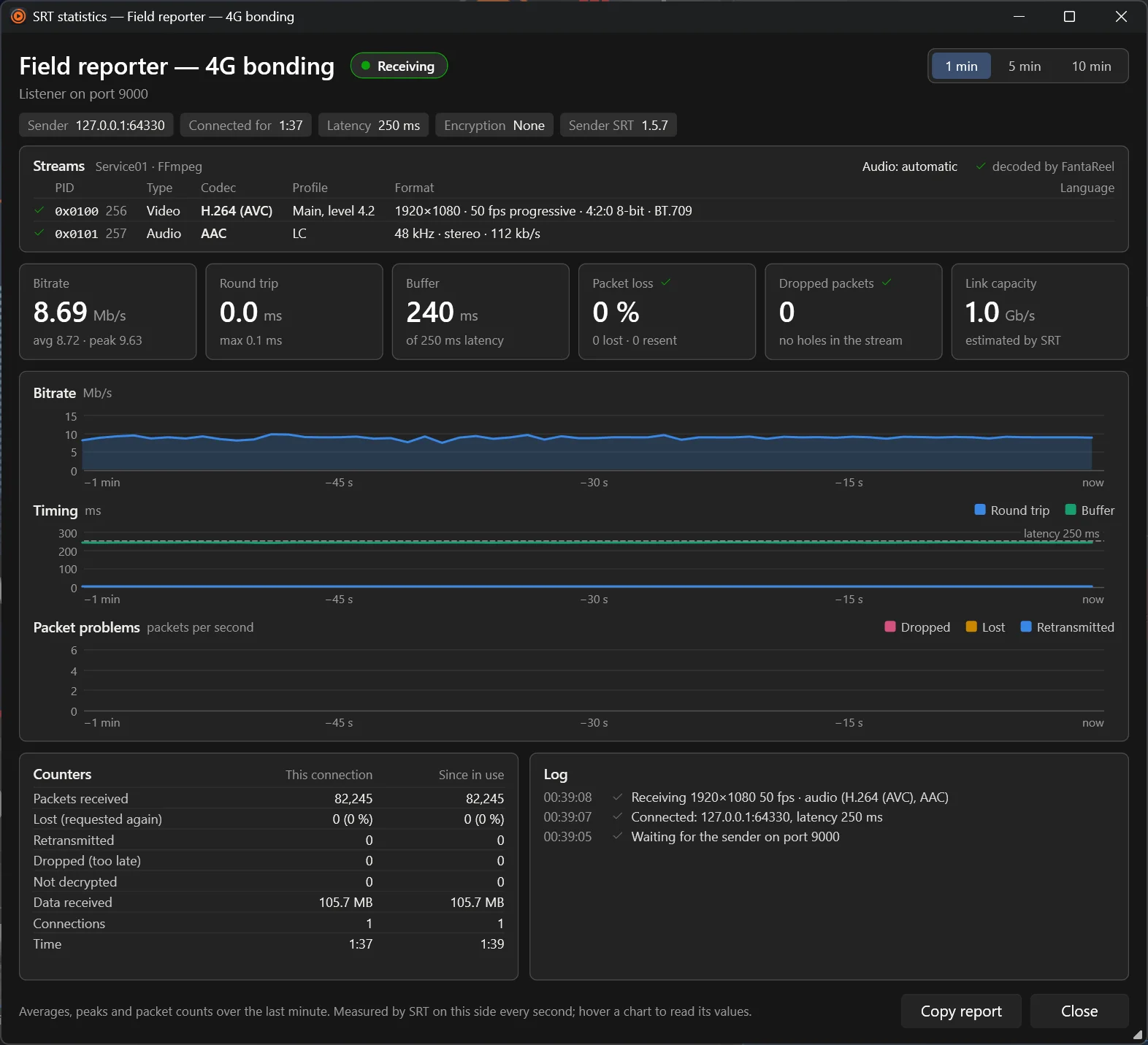
SRT contributions from the field, DeckLink inputs, USB cameras and NDI® sources sit in the rundown like any clip. Take them to air with the same key — and see exactly how the link is doing.
- SRT caller or listener with passphrase, stream ID and audio track choice
- Live statistics: bitrate, round trip, buffer, lost and retransmitted packets, a log of every event
- Holds the last picture for a second on a glitch, then black — never a frozen surprise
Automation
The show runs on time.
Start the rundown at 18:00:00 on the frame. Put the news bulletin on air at 21:30 every day. Record from the first item to the last without touching REC. Loop the whole show for the foyer screens all night.
- Scheduled start with a countdown strip
- “Start in time” on any item, every day
- Repeat the rundown once, n times or forever
- Automatic recording: with the rundown, between two times or for a length


Audio
Music under everything.
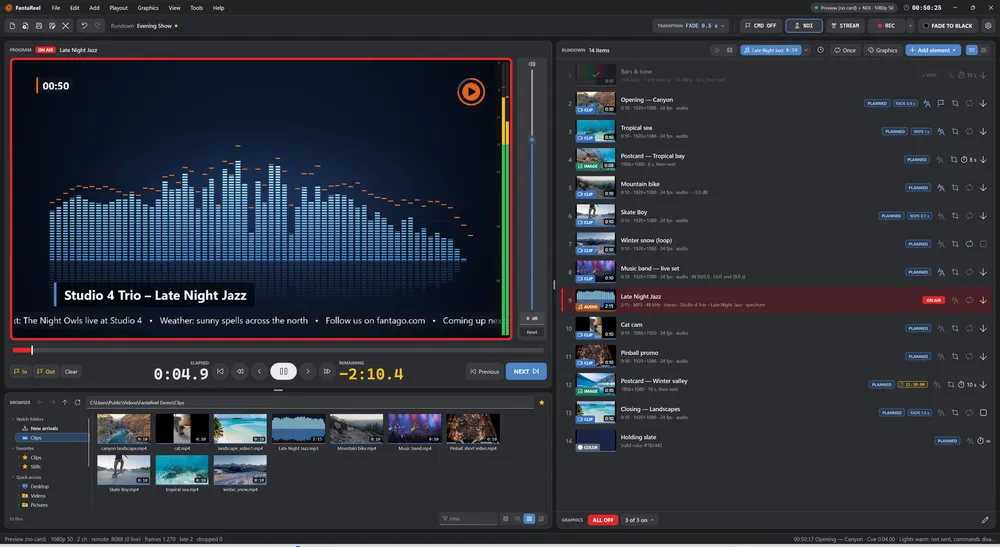
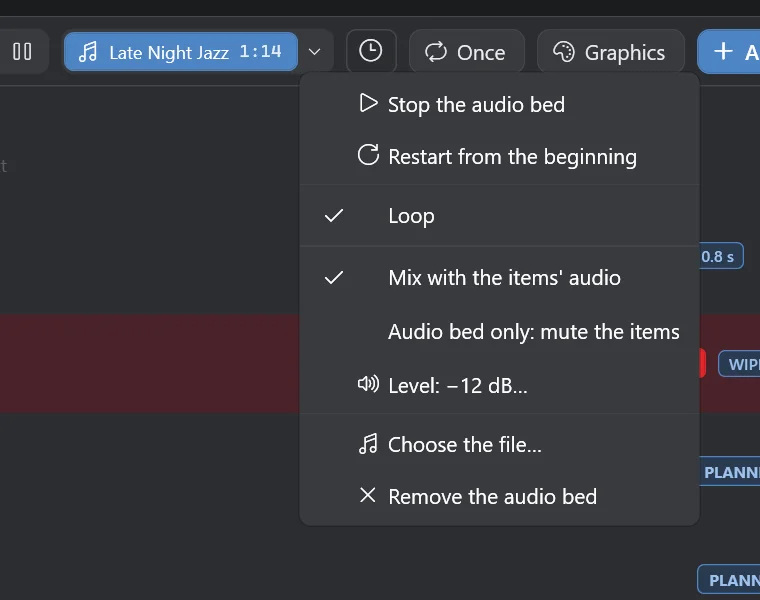
An audio bed plays under the whole show — mixed with the items, or alone with every item muted — with gapless loops and smooth fades.
Audio files get a live spectrum on screen, with peaks that hold and fall like a real analyser, and the track title as a lower third.
Integration
Driven by Fantacore.
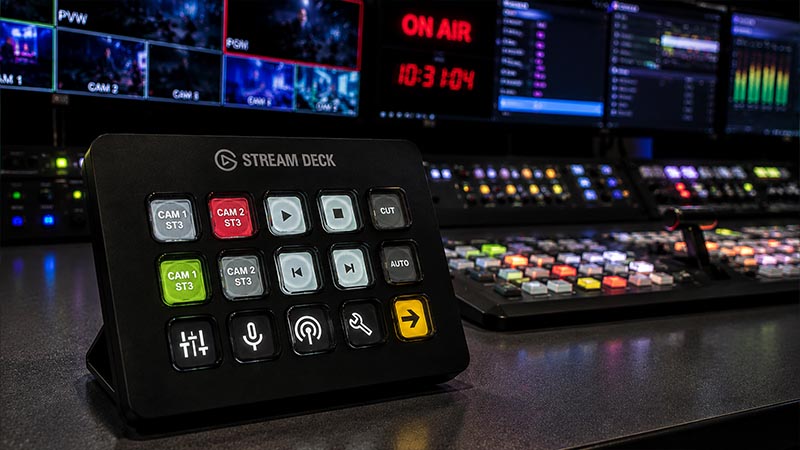
Fantareel is the playout companion of Fantacore, the broadcast control hub. Take items, move the cursor, fire graphics, start the recording or the stream from a Stream Deck or a custom touch panel — over REST and WebSocket, in real time.
- Keys that follow the show: the item on air, its remaining time, REC, STREAM, NDI® tally and graphics, live on every key
- A dial for the cursor: scroll the rundown, take or cue what you selected