
01What this covers
One Fantago device represents the whole Dante network — not one audio endpoint.
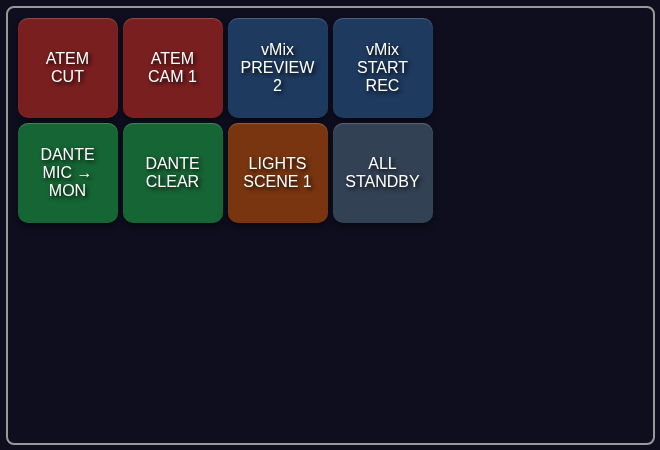
Dante Controller routes audio and nothing else. The moment a cue needs a Dante route AND a camera move AND a switcher cut in the same breath, Dante Controller has no opinion — it was never meant to sit next to a video switcher on the same screen. Fantago puts a Dante route on the same panel as everything else, a button beside the ATEM cut button and the vMix preview button, all built the same way.
This is the detail that trips people up first, so it belongs near the top: a Dante subscription is not a connection between two IP addresses, it is a receiver being told the name of the transmitter it should listen to, and that name is resolved over the network by every Dante device at once. Fantago models this faithfully — one device in Fantago represents an entire Dante network segment, discovered over mDNS, not one console or one amplifier. The IP address you give it is not a Dante device's address at all; it is the IP of the machine running Fantago on the Dante-carrying network, used to choose which network interface to discover and subscribe on.
Discover the whole network
mDNS discovery finds every Dante device on the segment from one Fantago device — consoles, amplifiers, stage boxes, Dante Virtual Soundcard instances.
Route by name
Subscribe / unsubscribe any receiver channel to any transmitter channel, including one-action stereo pairs and X-Y style panels.
Clear safely
A two-press "Clear All" for dropping every crosspoint on a device or the whole network — armed by the first press, carried out by the second.
Move audio through Fantago
Dante audio stays entirely on the Dante network. Fantago only ever sends control messages — the same kind Dante Controller sends.
02Five minutes to a working route
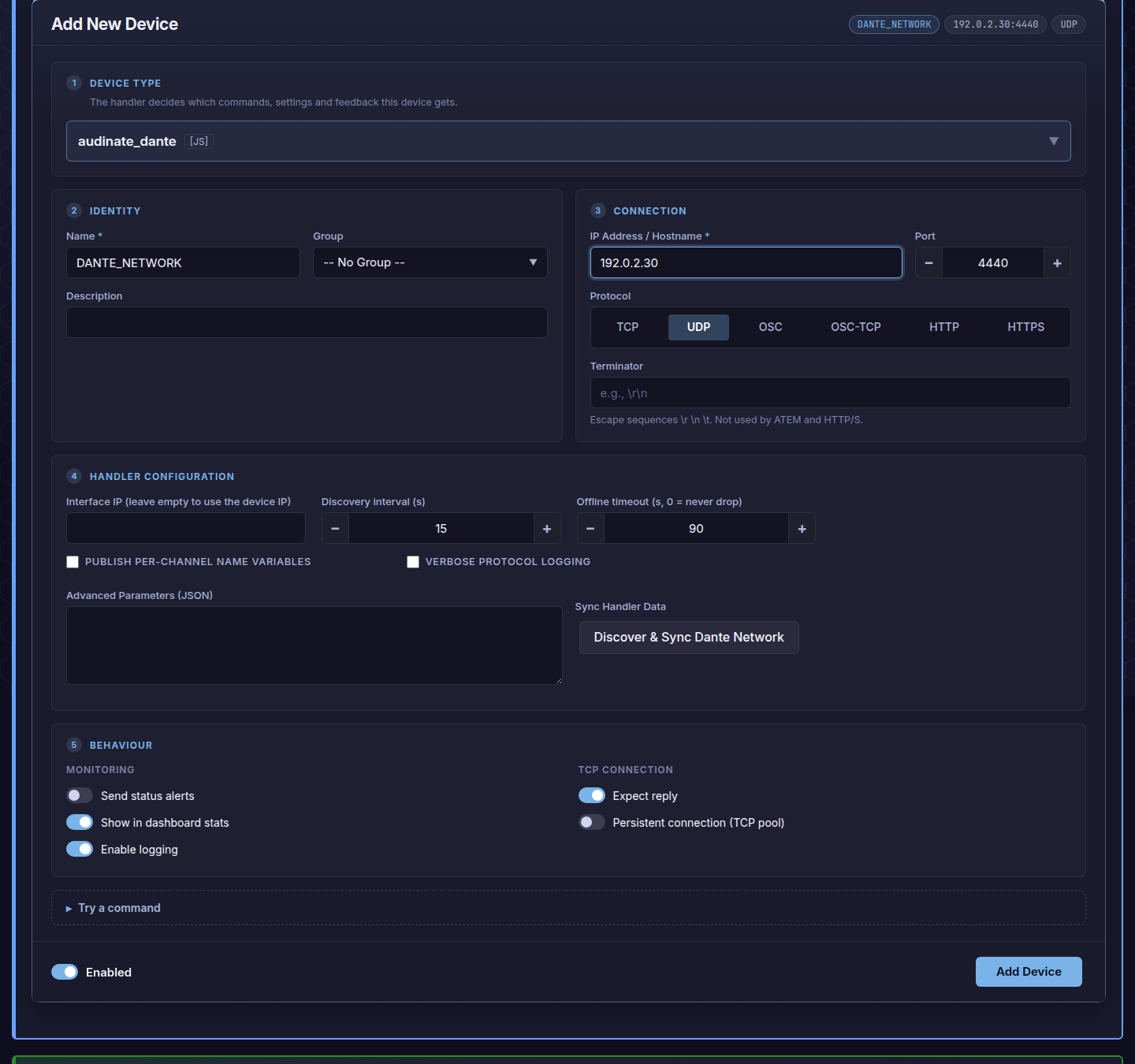
- Add the device. Dashboard → Add New Device → handler
audinate_dante. For IP Address put the address of the machine running Fantago on your Dante VLAN — not a console, not an amp. Protocol is UDP. - Leave Interface IP empty unless that machine has more than one network interface and you need to pin discovery to a specific one — by default it uses the device IP above.
- Press Discover & Sync Dante Network. Every device, channel and current subscription on the segment is read in and cached — this is what fills every action's dropdowns with real channel names instead of numbers.
- Build a button. Panel Builder → Actions → Device Command → your Dante device → Subscribe → pick the receiver channel, then the transmitter channel by name. For a full X-Y panel, see below.
03Building an X-Y panel
A row of destinations, a row of sources — the way a router panel has always worked.
Dante has no native concept of a routing "panel" the way an SDI router does — so the handler builds one out of two actions that share a per-panel selection:
| Action | What it does |
|---|---|
| Select Destination (X-Y) | Sends nothing to the network. It only arms a destination on this panel — the button lights to show which one is armed. Two panels can have different destinations armed at once, because the selection belongs to the panel, not the device. |
| Route Source to Selected Destination | Sends the actual subscription, from whichever transmitter channel this button represents into the currently armed destination. |
Both actions have stereo variants for the stereo workflow below. Source buttons light automatically when they are what the armed destination is actually fed from — arming a destination immediately shows its existing route, not just a blank panel. Mono and stereo are kept apart deliberately: routing a single channel into an armed stereo pair, or the reverse, is refused and logged rather than routed halfway.
04Clearing safely
The most destructive action on the handler asks twice before it acts.
Clear All Destinations drops every crosspoint at once — on a
single device, or across the whole network. Because of what it can undo in one
press, the first press only arms it: the button turns orange, and a second
press within five seconds carries it out. Arming lapses on its own, so a button
pressed by mistake and walked away from does nothing. Arming one scope does not
authorise a press on another scope. A Logic Flow or external trigger that should
fire in one step can skip the arming with confirm=now.
Before writing anything, the handler re-reads the live routing from the devices themselves — a crosspoint made from Dante Controller since the last sync gets caught too — and only writes to channels that actually carry something, spaced a few milliseconds apart so a burst of writes does not outrun a device's control queue.
05Driving it from outside
A rundown, a playout system or a Logic Flow can subscribe channels by name, without touching a panel.
Every Dante action is also reachable as a Network Trigger, so an external system can drive a subscription over plain TCP or UDP:
DANTE:subscribe_manual:rx_device=Amp-01,rx_channel=1,tx_device=Console,tx_channel=Main L
DANTE:unsubscribe_manual:rx_device=Amp-01,rx_channel=1
The transmitter is quoted by the exact name it advertises — the label already shown in the Transmit channel dropdown after a sync is the correct one to use.
06Frequently asked questions
Why does the device need "my" IP, not the console's?
Because one Fantago device is the whole network, not one endpoint — see above. The address tells Fantago which of its own network interfaces to discover and subscribe on.
A route fails with no explanation
Check Dante Device Lock on the target device — a locked device refuses every write, and the handler reports this back rather than pretending it succeeded.
Discovery finds nothing
Dante discovery is multicast mDNS on the local segment — a device on a different VLAN or across a router that blocks multicast will never be found this way. Confirm the Fantago machine and the Dante devices share the same broadcast domain.
Can I mix mono and stereo subscriptions on the same panel?
Yes — they are simply different actions (single-channel vs. pair actions) on the same device; what is refused is routing a mono source into an armed stereo destination or vice-versa, to avoid sending audio to only one leg of a pair.