The Broadcast Control Software for live production automation.

Now with AI Support BETA

Connect, automate and synchronize your broadcast and smart home devices — Blackmagic ATEM, HyperDeck, vMix, OBS, Shelly switches, dimmers, RGB controllers and energy meters, and 50+ more — through a single, intuitive interface. TCP, UDP, OSC, HTTP and REST, all in one place.

Available for Windows · macOS · Linux

Tutorials

See it in action

Watch how to add a device, assign a handler, and build your first custom control panel — in under 10 minutes.

Perfect for every environment

Broadcast

Live production & on-air control

Live Events

Concert & show automation

Studio Automation

Repeatable production workflows

Control Room

Mission-critical operations

Conference

Corporate AV management

Digital Signage

Multi-screen content control

50+ Device Handlers
5 Protocols
3 Platforms
1 Licence, Activated Once
60 Day Free Trial

Up and running in minutes

No complex configuration. No subscriptions. Just connect your broadcast hardware and start automating your live production workflow in minutes.

1

Connect your devices

Add any network device by entering its IP address and port. Choose from 50+ ready-made handlers or use raw TCP/UDP commands.

2

Design your workflow

Build custom virtual panels, automate sequences of commands, schedule triggers, and create logic flows — all from a browser-based interface.

3

Take control

Execute actions from your panels, a Stream Deck, the built-in HTTP API, or external network triggers. Everything responds in real time.

Ask the AI to help you set up your broadcast automation, execute tasks on your behalf, and most importantly — ask it to create custom device handlers and plugins for your specific equipment.
Protocols TCP UDP OSC HTTP / REST WebSocket

Monitor. Automate. Schedule.

A real-time command center for broadcast automation — schedule device commands, trigger sequences and monitor your entire live production from a single screen.

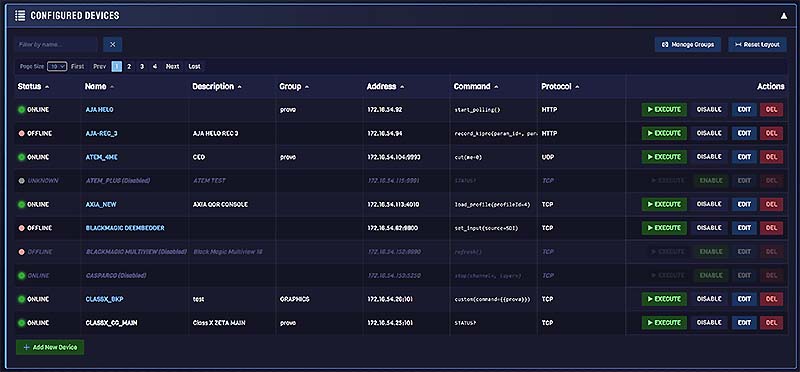
The Dashboard

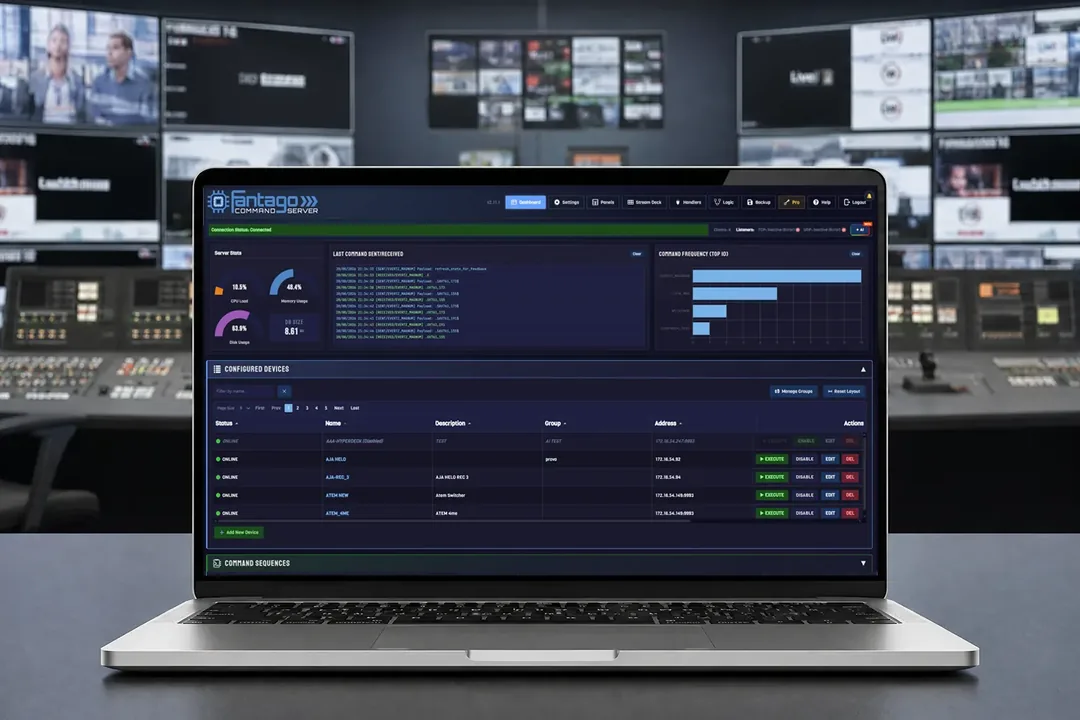
Fantago dashboard showing connected broadcast devices

Real-Time Insight. Get a bird's-eye view of your entire ecosystem. Monitor device status and trigger critical actions instantly from a centralized, high-performance dashboard designed for mission-critical reliability.
Sequences & Scheduling

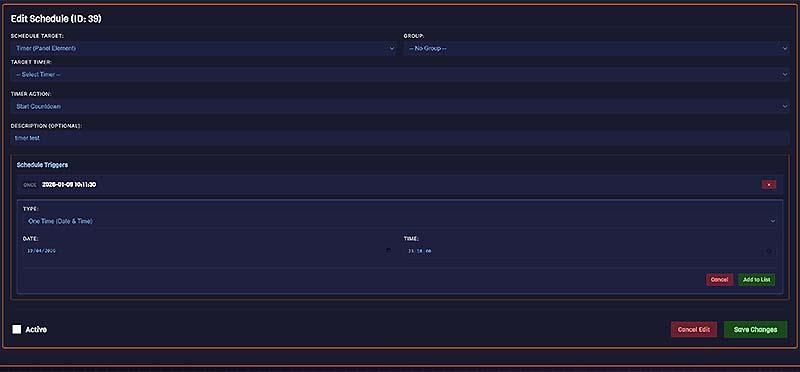
Fantago sequences and scheduling screen

Precision Automation. Chain complex commands across multiple protocols and devices. Build powerful macros and leverage advanced scheduling logic to ensure your production runs like clockwork, every time.

Design. Touch. Control.

Build custom virtual control panels and integrate Stream Deck for a professional-grade broadcast control room — no coding required.

Bespoke Control Surfaces

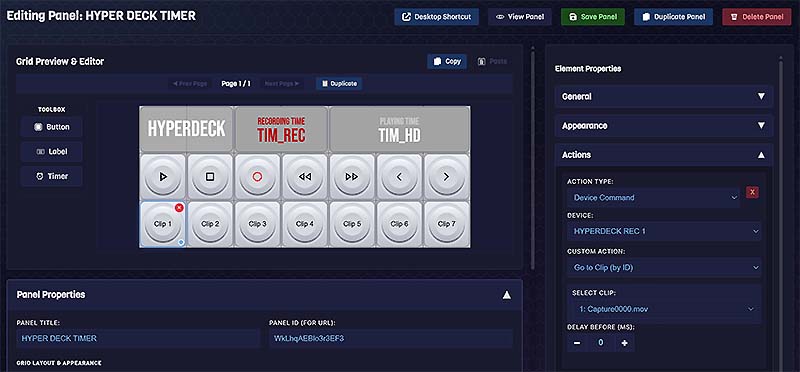
Fantago panel builder — custom virtual control surface

Design custom virtual interfaces in minutes with the intuitive drag-and-drop editor. Tailor every panel to your team's specific needs — turning any screen into a professional, streamlined control surface.

Hardware Integration

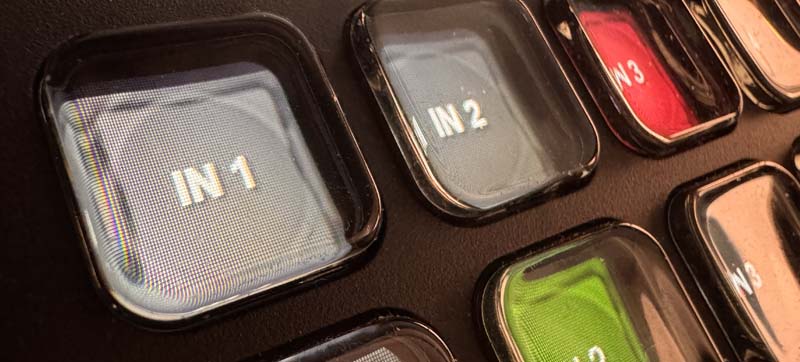
Fantago with Elgato Stream Deck integration

The Power of Touch. With deep, native integration for Elgato Stream Deck, Fantago provides dynamic hardware feedback and professional-grade physical control. Every button maps to a real device action.

Write it. Read it. Run it from the gallery.

Fantago now includes a teleprompter — the script on the studio monitor, a tablet or a phone, driven from the same panels, Stream Deck keys and dials that run the rest of the show.

The Prompter

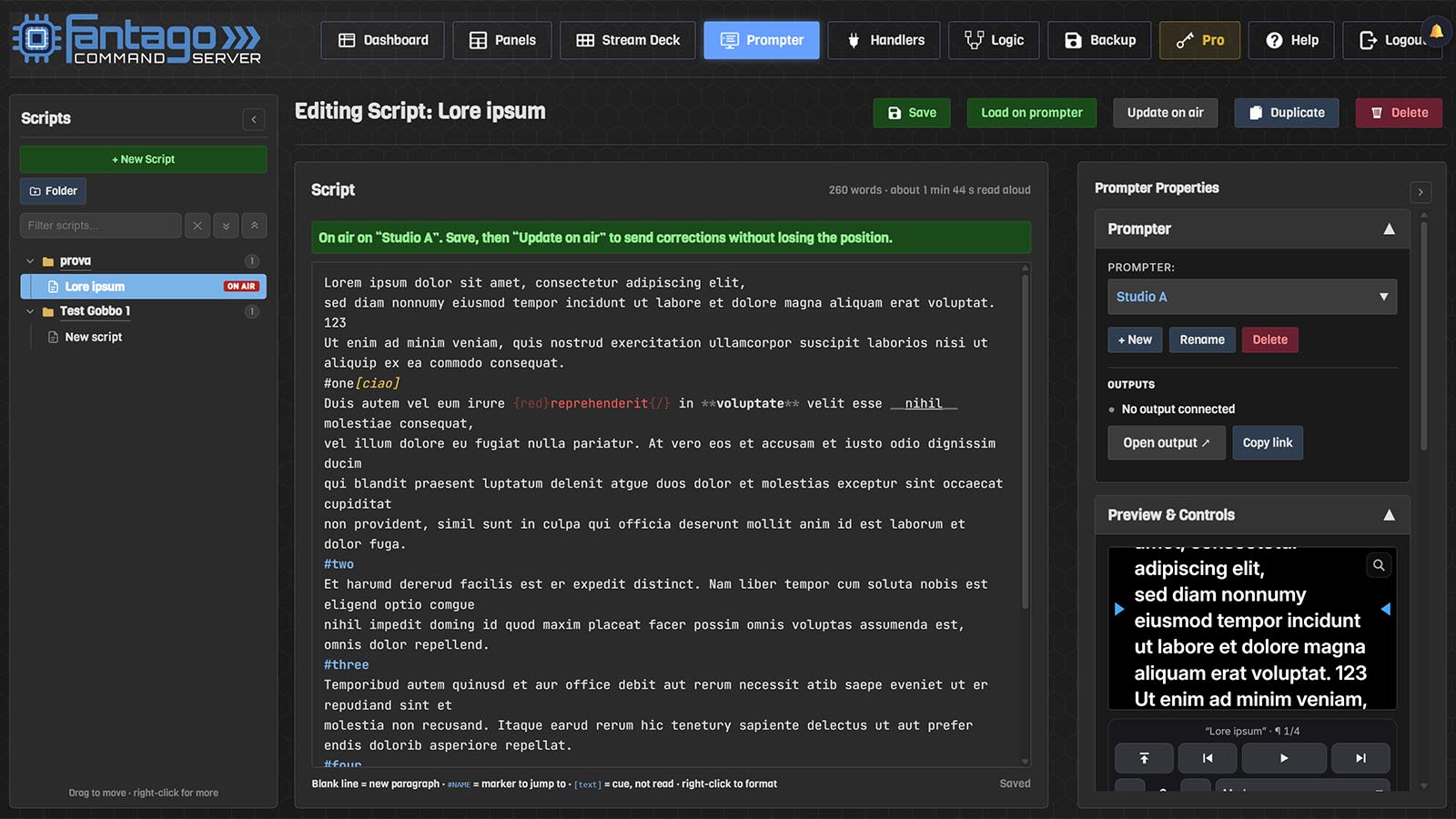
The Fantago Prompter page: script library, editor and live preview

No island, no spare operator. Markers to jump to, cues that are never read aloud, corrections that reach the talent mid-read — and play, speed and paragraphs on any surface Fantago drives. See the teleprompter →

Any Screen, Even a Phone

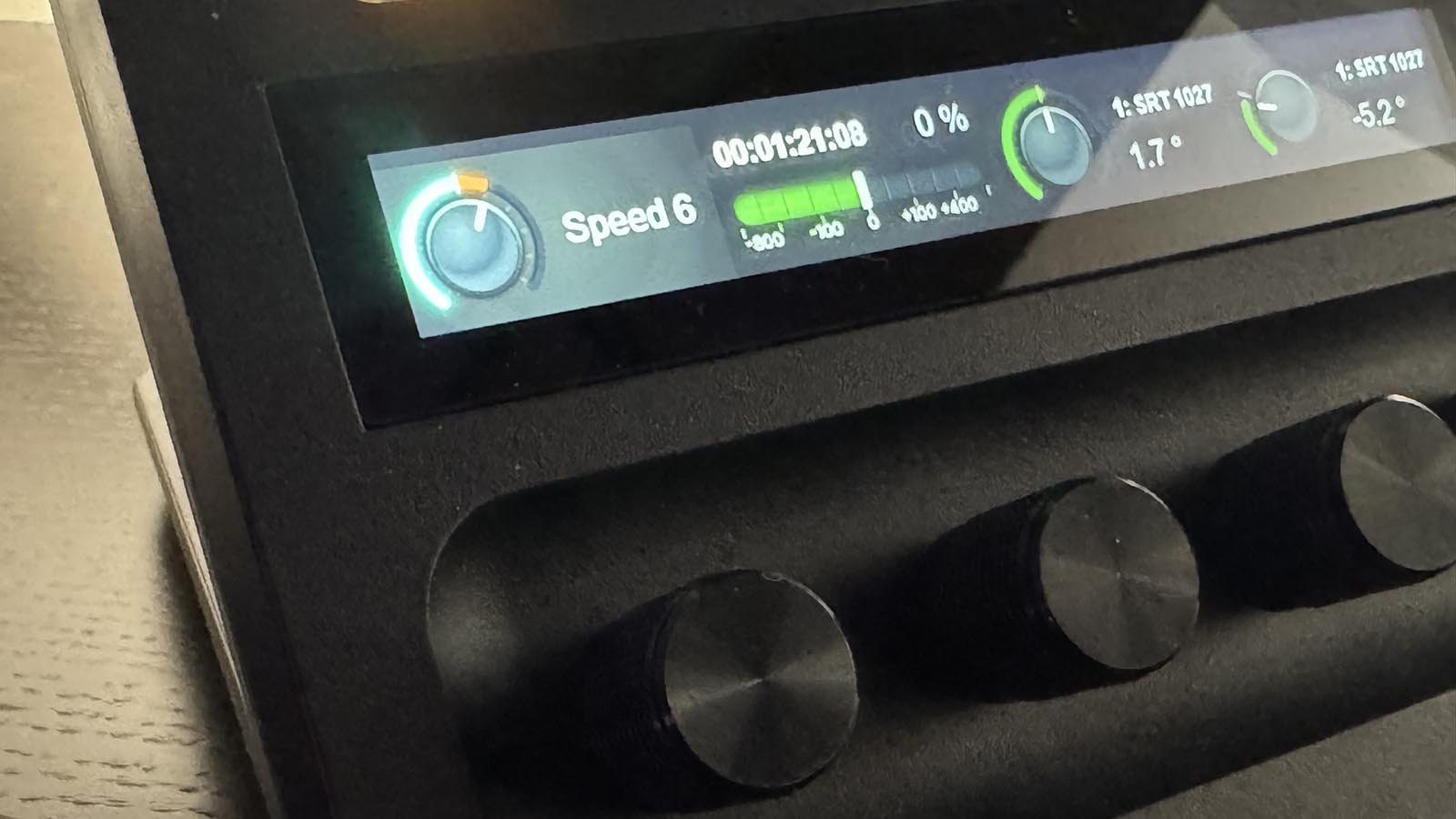
A Stream Deck + dial and touch strip setting the reading speed of the Fantago prompter

Several outputs, one line. The hood under the lens, a repeat in the gallery, a tablet on the desk — all kept on the same words, mirrored for a beam splitter, and shown only to the screens you have allowed.

Ready to take control of your broadcast?

Start with a 60-day free trial. No credit card required. Upgrade to Pro anytime with a one-time payment.